What is your developer-dependent CMS actually costing you? Calculate your costs and get a full report


Introduction
Your account menu
Where to find your own settings: your profile, timezone and language, password, and help.
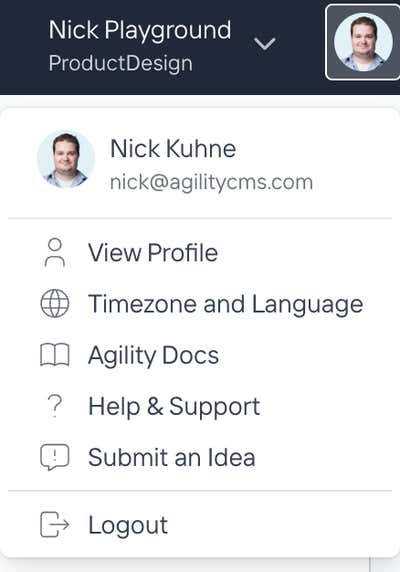
Your account menu holds the settings that belong to you rather than to the instance you are working in: your name, your password, how times and dates appear, and where to get help.
Open it from your profile picture.
Your settings and instance settings are different
Your settings follow you between instances. Your display name, your timezone, your password. Change your timezone once and every instance you open shows times your way.
Instance settings belong to the site and affect everyone working on it. Those live under Settings, not here.
If you are looking for something and cannot find it in one, check the other.
What is in the menu
View Profile opens your profile: your name, email address, picture, and the route to change your password.
Timezone and Language sets how times and dates appear to you, and the language the Agility interface is displayed in.
Agility Docs opens this documentation.
Help & Support opens your support options.
Submit an Idea sends a product suggestion to the Agility team.
Logout signs you out.
Your name and email address appear at the top of the menu. If you work across more than one account, that is the quickest way to confirm which one you are signed in as.
What is not in here
Notification settings. Whether you get email updates, and whether new notifications play a sound, are set in the notifications panel instead.
Instance and organization settings. Those are separate controls, not part of this menu.
On this page