



YouTube
Paste a YouTube URL into a content item and get the title, thumbnail, dimensions and a working preview, with no API key to manage.
- Video
Integration Overview
The YouTube app adds a video field to any content model. An editor pastes a URL, and the field fetches the title, thumbnail, dimensions and channel, then plays the video right there in the content item so they can check they picked the right one.
What is the YouTube field?
It's a custom field, not an embed code pasted into a rich text box. The video's details are stored as structured data on the item, so your front end decides what the player looks like and where the title and thumbnail go, instead of rendering markup someone pasted in last year.
It reads metadata from YouTube's public oEmbed endpoint, so there's no API key to provision and nothing to rotate later. If your videos need to be private, or you care about the player's appearance and what it tracks, Vimeo is the better answer and we have an integration for that too.
Why use this integration?
Nothing to provision
Metadata comes from YouTube's public oEmbed endpoint. There's no key to request, store or rotate, so installing the app is the whole setup.
Structured data, not pasted markup
The field stores the video ID, title, thumbnail, dimensions and channel as JSON. Your front end builds the player it wants around them.
Every URL an editor might paste
Watch links, youtu.be short links, embed URLs and mobile links all resolve to the same video, so nobody has to tidy a URL up first.
Check it before it ships
The player runs inside the content item. Picking the wrong video stops being something you find out on the live page.
Steps for Implementation
- 1
Install the app in your instance
Go to Settings, then Apps, and install YouTube. There's nothing to configure, because the app doesn't need credentials.
- 2
Add the video field to a content model
Add a YouTube video field to any model that carries video. Editors get the paste box the next time they open an item.
- 3
Render it in your front end
The field returns JSON with the video ID, title, thumbnail and channel. Build the player around it, or pass the ID straight to an embed.
Documentation
Setting up the YouTube app
Our own documentation for installing and configuring the app.
YouTube player parameters
What you can control on the embedded player once you have the video ID.
Screenshots
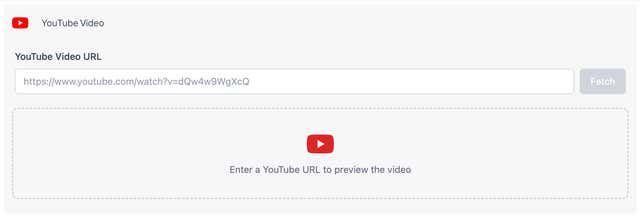
Paste a URL and fetch the video
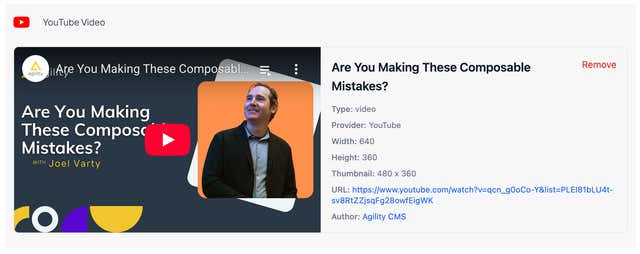
The video, its details and a working player in the content item