
Content Operations
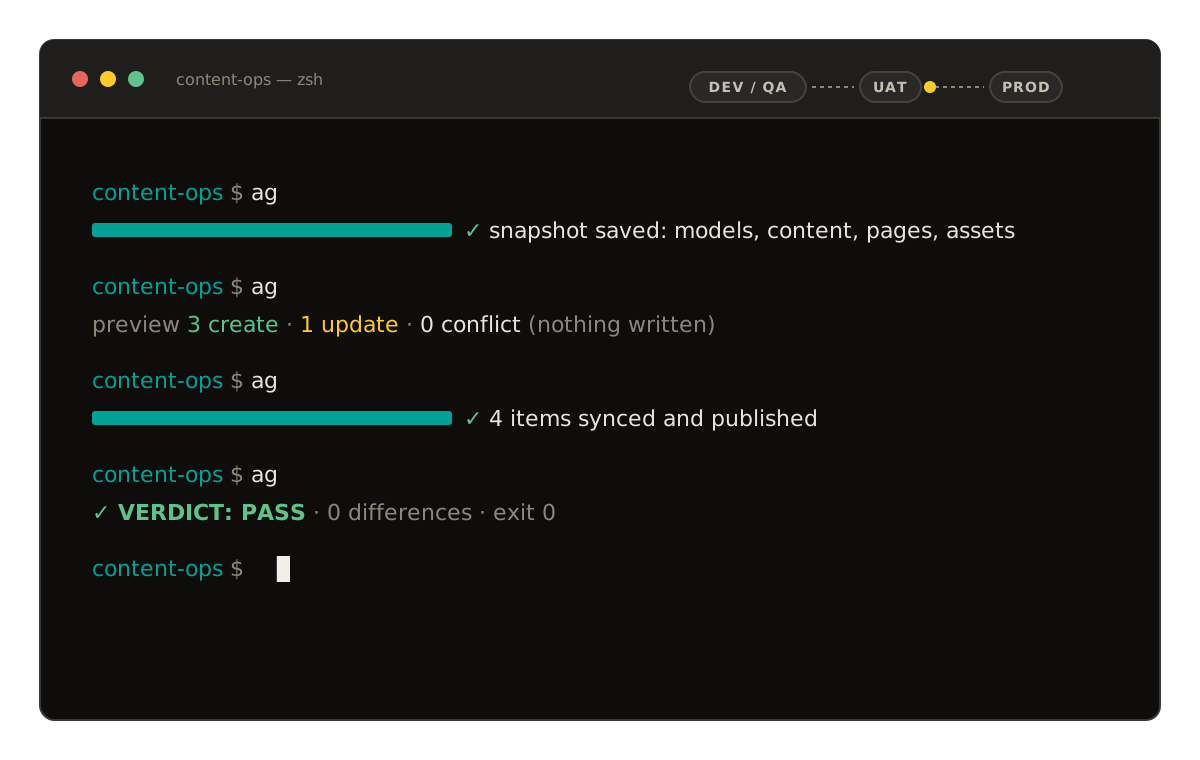
Your code moves from dev to test to production through a pipeline. Content Operations gives your content the same path: pull it, check it, sync it to another instance and prove it arrived, from your terminal or your CI.
Your code has a pipeline. Why doesn't your content?
If you run more than one Agility instance, one per environment, brand or region, you know the routine: build the model in dev, rebuild it by hand in test, do it again in production, and hope nobody missed a field. DevOps solved this for code a decade ago. The Agility CLI solves it for content, and moves models, components, content, pages and assets between instances in one run.
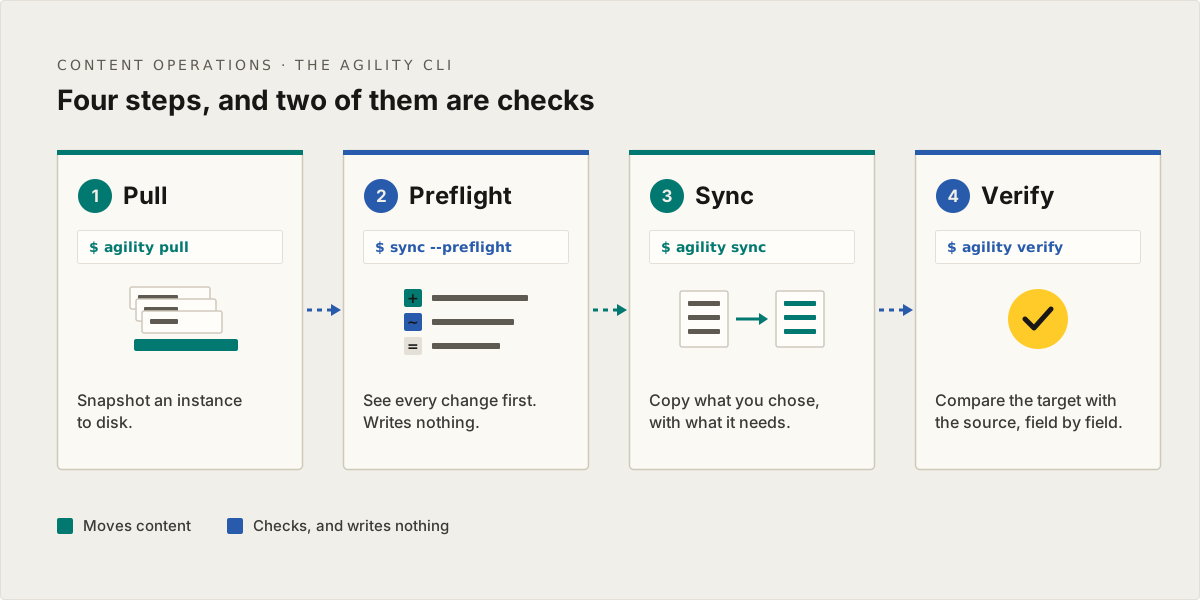
Four steps, and two of them are checks
- Pull. The pull command takes a snapshot of an instance to disk: models, components, content, pages, templates, assets and URL redirections.
- Preflight. A sync with --preflight writes nothing. It reports every create, update and skip a real sync would make, and lists any item that's missing a required field, so you see the problems before anything is written.
- Sync. The sync command copies what you chose into the target, with everything it depends on. Scope it to a few models, one page and its children, one container or one locale, and publish on arrival if you want to.
- Verify. The verify command compares the target with the source, field by field, without relying on the sync's own logs, and lists every difference it finds.
We built two of the four steps to change nothing, because a sync you can't check before and after isn't one you'll run on production.
Everything you'd otherwise do by hand
Each command works on its own, and together they're a pipeline you can run from a laptop or a CI job.
Pull
Snapshot an instance to disk, for a backup, a diff or the start of a sync.
Sync with dependencies
Copy a model and everything that uses it, one page and its children, or one container, and nothing else.
Preflight
See every create, update and skip a sync would make, and any item missing a required field, before it writes anything.
Verify
Compare the target with the source and get a report of every difference, separate from the sync's own logs.
Reverse sync
Send edits made in the target back to the source, using the mappings from the original sync.
Workflows in bulk
Publish, unpublish, approve or decline synced content and pages in one command.
Built for CI
A JSON summary and exit codes your pipeline can read, and a headless mode that logs to a file.
Personal Access Tokens
Sign in from scripts and CI without a browser. Each token is tied to the person who made it, and stops working when their access is removed.
Who it's for
Most teams run one Agility instance per project, often with a sandbox on the side, and that's all they need. If that's you, it's still good to know this is here, because the CLI handles two everyday jobs as well:
- Working with a sandbox. Build a model or a page in your sandbox and move it into your main instance, or bring production content back into the sandbox to test against.
- Starting a new project from a template. Use a previous instance as the template for a new one, with its models, Components and pages already in place. Agencies do this for every new client.
And it's built for the teams who run more:
- Teams with lower environments. The model change that ships with your code reaches dev, QA, UAT and production with it, so every environment is ready for the deploy that needs it.
- Developers, platform and DevOps engineers who want content changes scripted, reviewed in a pull request and run from CI, with a pass or fail at the end.
- Multi-brand and multi-region teams. Roll one model change out to every site in a single run.
The CLI or the MCP server?
The Agility MCP server can move content between instances too, and it's great for a one-off move from your AI assistant. The CLI keeps a mapping log of every item it has synced, with versions and conflict detection, so each run picks up where the last one left off and catches edits made in the target since. That makes it the right tool for syncs you run again and again.
What you need
- Two Agility instances, and an Org Admin, Instance Admin or Manager role on both.
- Node.js, and the CLI from npm (@agility/cli).
- A developer, or anyone comfortable in a terminal.
- For CI: a Personal Access Token. Today you create one through the Management API, and the Personal Access Tokens guide walks through it.
Frequently asked questions
Questions about Content Operations
Tell us how your instances are set up
Dev, test and production, or one instance per brand or region: show us how you work today and we'll map out the content pipeline for it.