


Vimeo
Easily integrate and embed your Vimeo videos into your websites and apps with Agility CMS.
- Video
Integration Overview
The Vimeo integration adds a video field to your content models. An editor picks a video from your Vimeo library and the field stores its metadata on the content item, so your front end can lay out the title, description and thumbnail however it likes.
What is Vimeo?
Vimeo is a video platform built for organisations that need control over the player and who can watch. No recommendations bar for a competitor's video at the end, privacy settings that actually hold, and analytics you own.
If your videos are public and you want the reach that comes with them, YouTube is the better answer and we have an integration for that too. Vimeo is what you want when the player is part of your brand rather than someone else's surface.
Why use this integration?
Reduced complexity
All of your video meta data is stored as Agility content so you can build a listing of videos from Vimeo easily, without using the Vimeo API.Increased portability
Pulls in the information about the video so you can choose exactly how you want to display it in an website, mobile app, or other IoT device.Improved content accuracy
Preview your videos directly in Agility CMS and validate the metadata you want to use.
Steps for Implementation
- 1
Install the Integration
The integration uses a UI Extension which enables a Vimeo Video field you can add to your content.
- 2
Use it in Content
Use the Vimeo Video field in your models to allow editors to add a video to their content.
- 3
Sign up for Agility
You must have an Agility Instance in order to connect the integration.
Documentation
Vimeo Integration Guide
Learn how to integrate with Vimeo step-by-step.
Screenshots
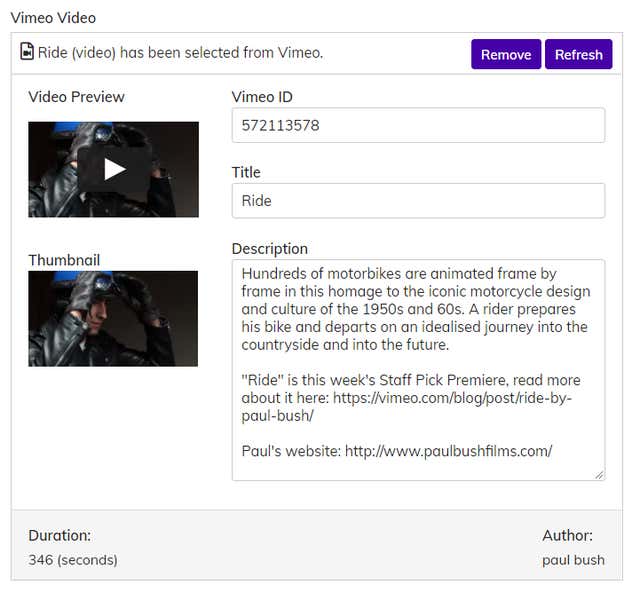
vimeo-2