



Cloudinary
Create, manage and deliver images and video through Cloudinary, and pick them from inside Agility without leaving the content item.
- Digital Asset Management (DAM)
Integration Overview
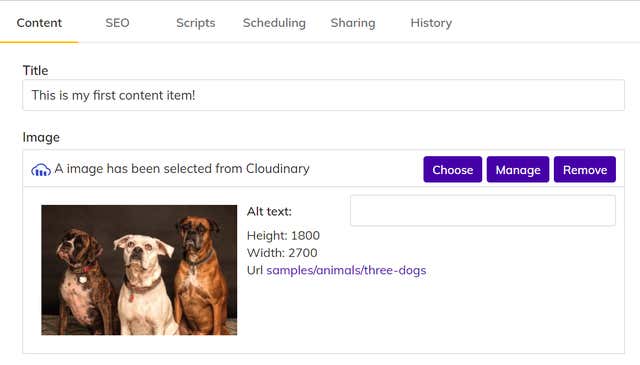
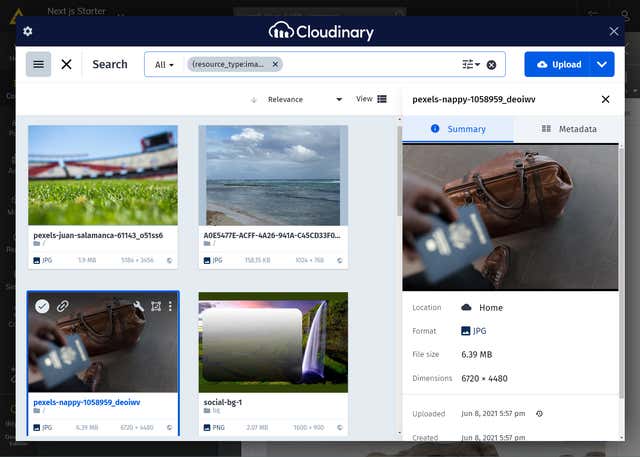
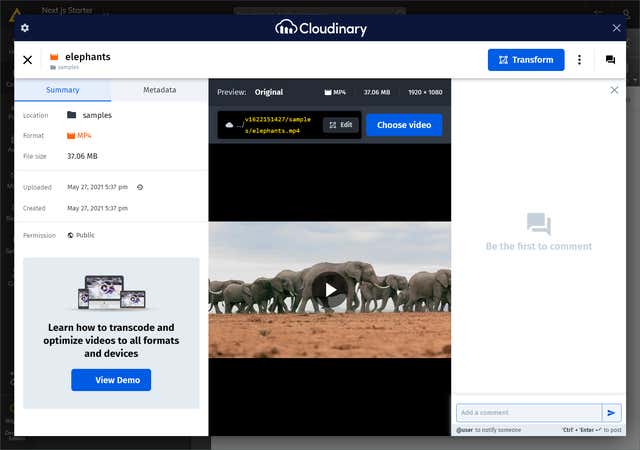
The Cloudinary integration with Agility CMS enables users to seamlessly search, select, and associate Cloudinary resources such as Images and Videos with content in Agility CMS.
What is Cloudinary?
Cloudinary is an amazing tool to help you unleash the full potential of your online media. Optimize, transform, and combine your images to create great digital experiences. Upload and stream high quality adaptive videos from your website.
It is an end-to-end image- and video-management solution for websites and mobile apps, covering everything from image and video uploads, storage, manipulations, optimizations to delivery.
Learn more from our Webinar "Unleash your Website Videos with Jamstack: Building modern Digital Experience Using Cloudinary and Headless CMS".
Cloudinary APIs are fully authenticated and secured and allow delivering media over http or https. The API also returns a JSON response with all asset details at a “notification_url” that you set. Cloudinary uses third party penetration testing to probe our APIs and web applications for vulnerabilities.
Why use this integration?
Reduce Time to Publish
Being able to associate Cloudinary assets to content in Agility means you don't need to duplicate your assets.Manage Digital Assets Intuitively
Work with a consistent Cloudinary management UI whether you are in Cloudinary or Agility CMS.Eliminate Content Silos
A single source of truth for your assets. Manage one DAM across your entire digital platform (including Agility powered content).
Steps for Implementation
- 1
Use it in Content
Use the Cloudinary Image or Video field in your models to allow editors to search and select assets from Cloudinary. - 2
Install the Integration
The integration uses a UI Extension which enables a Cloudinary Image or Video field you can add to your content. - 3
Sign up for Agility & Cloudinary
You must have an Agility Instance and a Cloudinary account in order to connect the integration.
Documentation
Cloudinary Integration Guide
Learn how to integrate with Cloudinary step-by-step.
Screenshots
cloudinary-1
cloudinary-2

cloudinary-3
cloudinary-4