


ai12z
Go live with AI-powered search and digital assistants from ai12z directly on your Agility CMS website.
- AI
- Search
Integration Overview
Bring your brand's voice to life with AI-powered search and digital assistants from ai12z directly on your Agility CMS website.
Who is ai12z?
ai12z is a Boston-based agency specializing in developing AI assistants that do more than answer questions. They'll help users complete tasks through the use of agents which connect with third-party systems to retrieve real-time data.
Check out this video to learn more about AI agents from ai12z:
The ai12z-Agility CMS Connector
At the root of this integration is the ai12z-Agility CMS Connector. It links Agility CMS to the ai12z AI platform. This automates the ingestion of content. When an update is made to your Agility CMS website, the AI agent has immediate access to it.
Why use this integration?
Your content, without a second copy of it
The connector reads content from Agility as it changes, so the assistant answers from what's published rather than from an export somebody took last quarter.
Assistants that do more than answer
ai12z agents can call third-party systems to fetch live data, so a question about an order or an availability can get a real answer instead of a link to a page about orders.
Worth asking whether you need it
An AI assistant is a good fit when your content is large and people struggle to navigate it. If a decent search box would solve the problem, start there and save yourself the integration.
Steps for Implementation
- 1
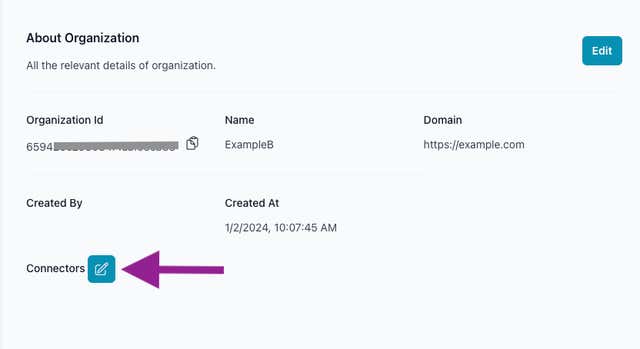
Step 1: Enable Connector
Verify connectors are enabled within the ai12z portal. - 2
Step 2: Configure Connector
Select Agility connector and configure as required. - 3
Step 3: Verify Integration
Verify content from Agility is being displayed correctly.
Documentation
ai12z Agility CMS Connector Setup Guide
Screenshots
orgnization-view-connector-5efc2af9e80c0a6c403918b161c7eca7