
Top 7 Azure CMSs in 2026
While many CMS platforms claim they work in Azure cloud, we've picked the top 7 that take full advantage.

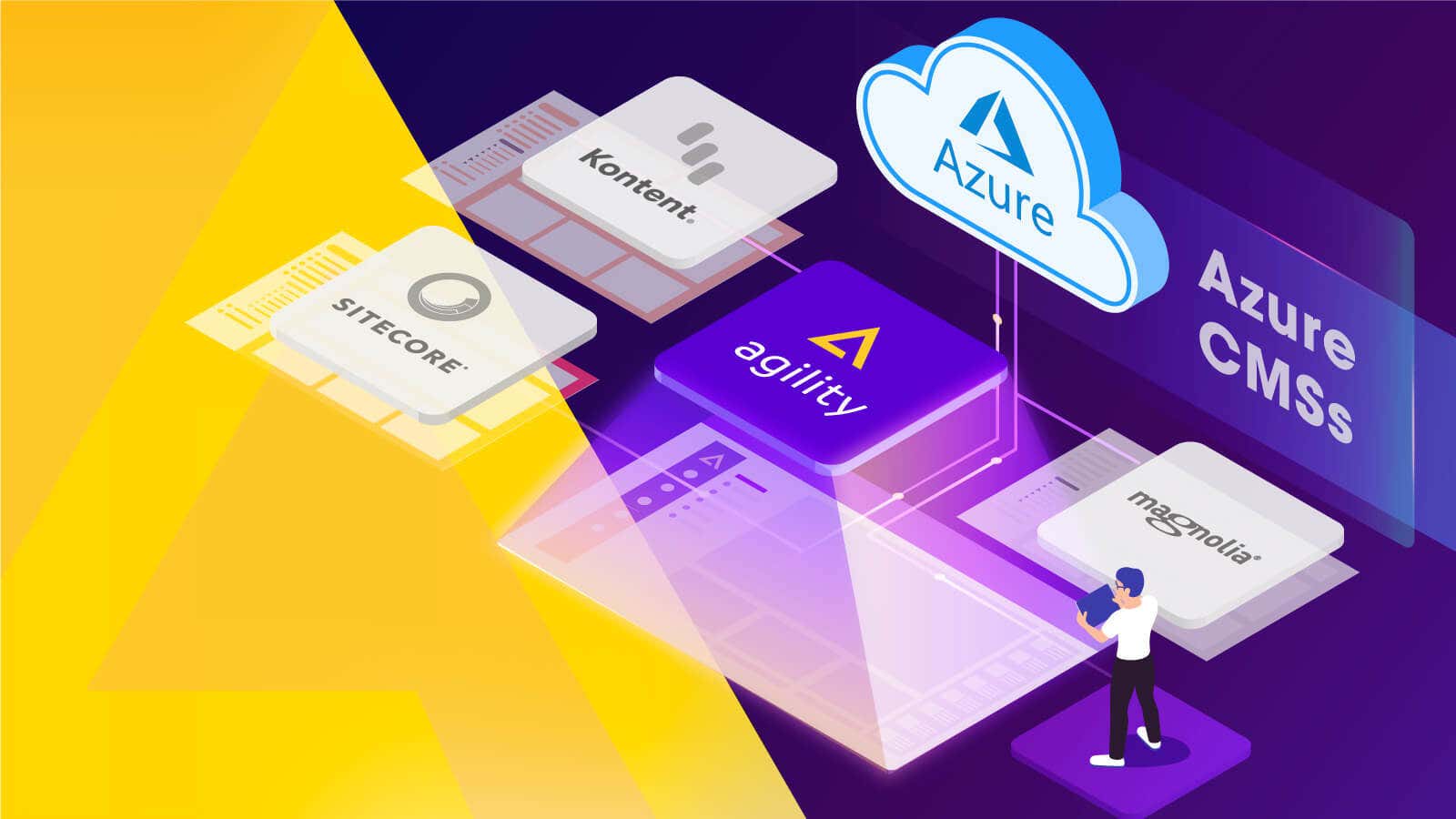
Cloud infrastructure has accelerated digital transformation and continues to contribute to global economic growth. Alongside Amazon Web Services, Microsoft Azure’s role has grown significantly, accounting for over 20% of the cloud market.
When deploying websites and digital experiences, organizations often select Azure to host their CMS, particularly if security, privacy, and data residency are important. Sometimes, opting for an Azure CMS just makes more sense, as many companies are already holding on to Azure credits.
In this article, we’ll delve into what you need to know about Azure as a cloud infrastructure solution, and walk you through how to choose an Azure headless CMS.
What Is Azure?
Microsoft Azure is a public cloud computing platform that provides a range of services, including storage, analytics, virtual computing, and networking. Azure offers Infrastructure as a Service (IaaS), Platform as a Service (PaaS), and Software as a Service (SaaS) solutions that can be used in conjunction with or in place of on-premises servers.
Microsoft Azure has seen exponential growth since launching in 2010 as Windows Azure and is among the top cloud providers worldwide. Frequently seen as the alternative to Amazon Web Services (AWS), Azure offers an easier learning curve for developers and is particularly popular among enterprise organizations. 85% of Fortune 500 companies rely on Azure for their cloud computing.
Content management has become even more critical to these organizations' bottom lines. They need a platform that can easily integrate with existing Infrastructure to help them meet growing customer expectations and evolving channels. In this case, opting for an Azure headless CMS is a great idea.
What Is an Azure CMS, and How Can You Identify a Strong One?
An Azure CMS, or a Content Management System hosted on Azure, is any CMS that can be easily and compliantly deployed on Azure.
But a strong Azure CMS candidate needs to go a little further.
A strong Azure CMS should itself be built and hosted on Azure, which means it will integrate seamlessly with the wider Microsoft ecosystem.
At its core, an Azure CMS should let you manage and deliver digital content (web pages, blog posts, media, apps) while staying inside Microsoft's security and compliance boundary, not pulling in outside infrastructure that your security team has to vet separately.
Agility CMS, for example, has always been the go-to CMS choice for organizations seeking an Azure CMS. That’s because Agility CMS is built from the ground up on Microsoft Azure. If your organization already runs on Azure, Agility integrates seamlessly with your existing infrastructure, security policies, and billing.
Benefits of Using Azure and Azure Software
The Azure Cloud platform provides over 200 products and services to help organizations build, run, and manage applications across multiple clouds, on-premises, and with the freedom to adopt frameworks that best suit their needs. Here are some of the benefits of choosing Azure for deploying your headless CMS:
Security and Compliance
Azure was designed using Security Development Lifecycle (SDL), which ensures that data remains secure while on Azure. This is backed by the 90+ compliance offerings, which safeguard data and streamline compliance.
Analytics
Azure offers cloud-based analytics services that can facilitate business intelligence, data governance, data warehousing, and other analytics needs for an enterprise organization.
Scalability
Azure Storage is built to scale with your content operations. When traffic spikes hit your site during a product launch or campaign, Azure scales storage and compute automatically so your content team doesn't have to intervene.
Learning Curve
Azure leverages familiar tools that most enterprise developers already use, including ASP.NET, Visual Studio, C++, and more, for deploying cloud-native applications. This lowers the learning curve and makes it easier for your IT team to get everything up and running.
Cost-Effectiveness
Microsoft uses a pay-as-you-go model for Azure, which means that organizations only need to pay for what they use and can expand when and if they need.
Azure Fabric Controller
One of Azure's primary services, Fabric Controller, continuously monitors all hardware states. In case a virtual machine hosting a server becomes unstable, the controller can reset that machine or switch the application to a new one without the intervention of the customer, reducing downtimes and crashes.
Azure vs AWS vs GCP: Why Do Companies Prefer Azure?
Many organizations have existing contracts with Microsoft, which include Azure credits. When that’s the case, using AWS or Google Cloud Platform (GCP) doesn’t make sense, since you’d be wasting the Azure credits that are already paid for.
Azure, AWS, and GCP are the three most popular cloud hosting options. However, there are a few reasons why enterprises should opt for Azure over the other two:
Data Residency and Compliance
Azure operates in 60+ regions globally, more than any other cloud provider. For industries with strict data residency requirements, like healthcare, financial services, government, and education, this matters because Azure can help you select exactly where customer data is physically housed.
From a compliance perspective, if an organization has already vetted Azure's compliance certifications (SOC 2, HIPAA, ISO 27001, FedRAMP) and approved it as their cloud provider, they need their CMS to run within that approved boundary.
Fewer Vendors, Less Risk, Higher Efficiency
Enterprise procurement and security teams want fewer third-party relationships, not more. A CMS that runs within the existing Azure environment is one less vendor to conduct due diligence on, one less data processing agreement to negotiate, and one less external party with access to customer data.
Ecosystem Integration
Organizations running Microsoft Entra ID (formerly Azure Active Directory) for identity, Azure DevOps for CI/CD, and Visual Studio for development don't want to bolt on a CMS that was designed for a different ecosystem. A CMS running on Azure can use Entra ID for single sign-on out of the box, which means no separate identity provider, no extra access policies, and no additional attack surface.
Plus, for organizations already using Teams, SharePoint, and Power BI, an Azure-native CMS connects to these tools without middleware or custom integration work.
Which Azure Services Matter for Web Content Management?
Azure offers over 200 services, but only a handful directly interact with a CMS. Here are the ones that matter:
-
Azure App Service hosts your CMS application. It handles deployment, scaling, and SSL certificates without requiring you to manage virtual machines directly.
-
Azure Blob Storage stores your media library: images, videos, PDFs, and any other files your content team uploads. It scales without storage limits and supports tiered pricing for assets accessed frequently versus those archived long-term.
-
Azure CDN delivers your content globally. Static assets and pages are cached at edge locations worldwide, so a visitor in Tokyo loads your site just as fast as someone in Toronto.
-
Microsoft Entra ID (formerly Azure Active Directory) handles authentication. Your content editors sign in with the same credentials they use for Teams, Outlook, and SharePoint. No separate login, no extra passwords to manage.
-
Azure SQL Database stores your structured content, user data, and CMS configuration. It provides automatic backups, failover, and scaling without database administration overhead.
-
Azure Cognitive Search powers site search and content discovery. Instead of building search from scratch, your CMS can index content through Azure and return fast, relevant results to visitors.
5 Reasons Why Enterprises Are Choosing an Azure Headless CMS
Enterprises can leverage many more benefits when choosing Azure for cloud infrastructure. These benefits are amplified when they choose an Azure headless CMS and can enormously impact content management efforts. Here are the reasons to opt for an Azure headless CMS:
More Flexible Development
A headless CMS places no restrictions on what experiences developers can build. Since it relies on an API-first approach, developers can create and deploy applications faster and quickly integrate with existing Infrastructure. They have the freedom and flexibility to choose the best framework or integration method for each use case.
More Reliable Architecture
Headless architecture provides better reliability as it is more secure and scalable with higher availability. When team members don't have to worry about whether or not the CMS architecture is at risk from hackers or might not be capable of handling future needs, they can focus on creating content.
Better Resource Allocation
Enterprises are accustomed to hiring numerous specialists and consultants to help them get the most out of their software. Unlike many legacy and suite platforms, a headless CMS provides better ease of use, leading to better resource allocation. They don't need to hire large teams of developers or marketers to handle a few things and can focus on innovating with smaller groups.
Engaging Omnichannel Experiences
With an Azure headless CMS, companies can finally provide the omnichannel experiences their customers want. Content can be deployed to any channel, whether a tablet, website, mobile application or VR experience. These touchpoints can also be seamlessly connected to provide a cohesive experience across the entire customer journey.
7 Azure CMS Solutions to Consider in 2026
1. Agility CMS
Built natively on Azure, Agility CMS is an API-first headless CMS designed with speed and flexibility. Users receive the tools to build, manage, and maintain their content easily. The content management system includes many features, including built-in Page Management, document management with a media library, and version control.
Unlike other CMS options, Agility CMS isn’t just deployable on Azure, it’s built on Azure and Microsoft’s broader ecosystem. For example, many brands use Agility CMS with SharePoint to build content hubs that can headlessly deploy content to any app or screen.
Learn how to deploy Agility CMS on Azure.
2. Kentico
Kentico is a web content management system for building websites, online stores, intranets, and Web 2.0 community sites. The CMS uses ASP.NET and Microsoft SQL Server for development via its Portal Engine, Visual Studio, or Microsoft MVC. Kentico is also compatible with Microsoft Azure.
Azure and Microsoft Cloud enable companies to scale flexibly with scheduled, rule-based auto-scaling. Kentico supports Azure CDN geo-redundant storage, ensuring users worldwide can access content quickly, making sites reliable and ready to perform.
3. Magnolia CMS
Magnolia CMS is an open-source, Java-based web content management system. Magnolia CMS provides the best blend of enterprise power and agility while giving you freedom over your DX stack. Integrate existing IT and business systems for your digital transformation.
Magnolia CMS is fully compatible with Microsoft Azure. The CMS uses the whole spectrum of its capabilities to bring the smoothest experience for developers and IT administrators. The usage of the Azure cloud platform avoids the complexity of the on-premise setup and improves work productivity.
4. Sitecore
Sitecore is a complete suite of tools with all a marketer needs to create relevant customer experiences, combining a CMS with a database to get contextual information from users.
Sitecore uses Azure to provide an integrated user interface to manage cloud content delivery infrastructure, simplifying deployment. Sitecore Azure is built around Azure PaaS and includes automatic deployment and SQL databases to ensure continuous content delivery.
5. Umbraco
Umbraco is an open-source CMS built on ASP.NET Core. It runs on Azure App Service and uses Azure SQL for its database, Azure Blob Storage for media files, and Azure Cognitive Search for site search through its ExamineX add-on.
Umbraco Cloud, the managed hosting option, runs entirely on Azure infrastructure.
6. Sitefinity
Sitefinity is an enterprise CMS from Progress Software, built on ASP.NET and deeply integrated with Azure services. It connects natively to Microsoft Entra ID for authentication, Azure Search for content indexing, and Azure Redis Cache for performance. Progress reports that over 1,500 public websites built on Sitefinity are currently hosted on Azure.
However, Sitefinity leans more toward traditional and hybrid CMS architecture than pure headless, so it tends to appeal to marketing teams that want drag-and-drop page building alongside API delivery.
7. Flotiq
Flotiq is a lightweight, API-first headless CMS that auto-generates RESTful APIs based on your content models. It supports deployment to Azure through standard containerized or serverless setups, though it doesn't have the deep native Azure integration that .NET-based platforms offer. Think of it as a simpler, developer-focused option for teams that want a clean API layer without the overhead of a full enterprise CMS.
Agility CMS and Azure: A Lightning-Fast Combination
Agility CMS is an API-first headless CMS platform designed with speed and flexibility. Users receive the tools to build, manage, and maintain their content easily. The content management system includes many features, including built-in Page Management, document management with a media library, and version control.
Marketers can also benefit from workflow management (user-restricted access, approval processes), separation of content and design, tagging and content categorization, SEO features, social media integration, end-user interactive features (e.g., commenting, rating), and more.
Developers will find it easier to build and deploy applications using APIs and modules that can be added to increase functionality (for example, through Agility CMS’ eCommerce integrations).
With Azure's Platform-as-a-Service products, such as Service Fabric, App Service, and Elastic Database Pools, and their comprehensive security compliance, Agility CMS' customers can also enjoy fast-loading sites that perform optimally under high traffic and pose no security challenges. Users can also launch blazing-fast static websites using Jamstack without worrying about scaling or maintenance. Everything is powered by Azure, enabling static files to be delivered quickly over a global CDN.

About the Author
Joel is CTO at Agility. His first job, though, is as a father to 2 amazing humans.
Joining Agility in 2005, he has over 20 years of experience in software development and product management. He embraced cloud technology as a groundbreaking concept over a decade ago, and he continues to help customers adopt new technology with hybrid frameworks and the Jamstack. He holds a degree from The University of Guelph in English and Computer Science. He's led Agility CMS to many awards and accolades during his tenure such as being named the Best Cloud CMS by CMS Critic, as a leader on G2.com for Headless CMS, and a leader in Customer Experience on Gartner Peer Insights.
As CTO, Joel oversees the Product team, as well as working closely with the Growth and Customer Success teams. When he's not kicking butt with Agility, Joel coaches high-school football and directs musical theatre.

