
Is your CMS holdingyou hostage?
Plugins stacked on plugins, sitting on a theme nobody fully understands. That's how most legacy content management systems are built, and it's why one small update can take the whole site down.
Agility CMS is an enterprise headless CMS that keeps your content separate from your frontend, so your marketing team can publish an update without putting the rest of the site at risk.
Inside Web Studio, the visual page builder your marketing team publishes from. Watch the one minute migration overview
LEADING BRANDS CHOOSE AGILITY CMS



Sound familar?
Four reasons teams start looking for a new CMS

Afraid to Update Your Site?
Every release turns into a countdown while you wait to see whether the layout holds and the site stays up. Agility CMS is evergreen, which means core updates and security patches happen on our side of the platform instead of yours.
We connect through APIs instead of plugins, so no third party plugin code is ever injected into your site.
- No plugin conflicts and no theme dependencies
- Preview every change before it goes live
- Version history and one click rollback on every page

Is Your Site Built Like a House of Cards?
The same product name lives in nine places, spread across page templates, hard coded blocks and a widget that nobody on the team will claim. When one of those cards gets pulled, your visitors are usually the first to see the damage.
Agility CMS gives your content a structure you can rely on, so you model it once, reuse it everywhere, and update it in a single place across every page and channel.
- Structured content models instead of scattered copies
- One content hub feeding web, app, email and in store screens
- Approval workflows and audit trails on every edit

Do Your Updates Need a Permission Slip?
A typo, a price change or a banner that has to come down before the campaign launches are all small fixes, and yet each one still means filing a ticket and waiting for space in someone else's sprint.
With the Agility CMS visual page builder, marketers edit and publish the page themselves, so developers keep their sprint and nobody sits in a queue for a text change.
- Drag and drop page building on day one
- Scheduled publishing for launches and takedowns
- Roles and permissions so the right people can ship

Does Your CMS Own Your Frontend?
Your site looks the way your CMS allows, not the way your brand should. The theme decides the layout, the agency owns the code, and access takes four to six weeks.
Agility CMS is an API first, composable CMS, so we run and maintain the backend while you keep ownership of the frontend, the framework, the DevOps and the hosting.
- Build in Next.js, Nuxt, Astro, Gatsby or anything else
- REST and GraphQL content APIs with an SDK per framework
- Your content is yours, exportable at any time
What publishing looks like day to day
Three screens cover most of the work in Agility CMS, and a marketer can learn all three in an afternoon without touching code or waiting on a developer.
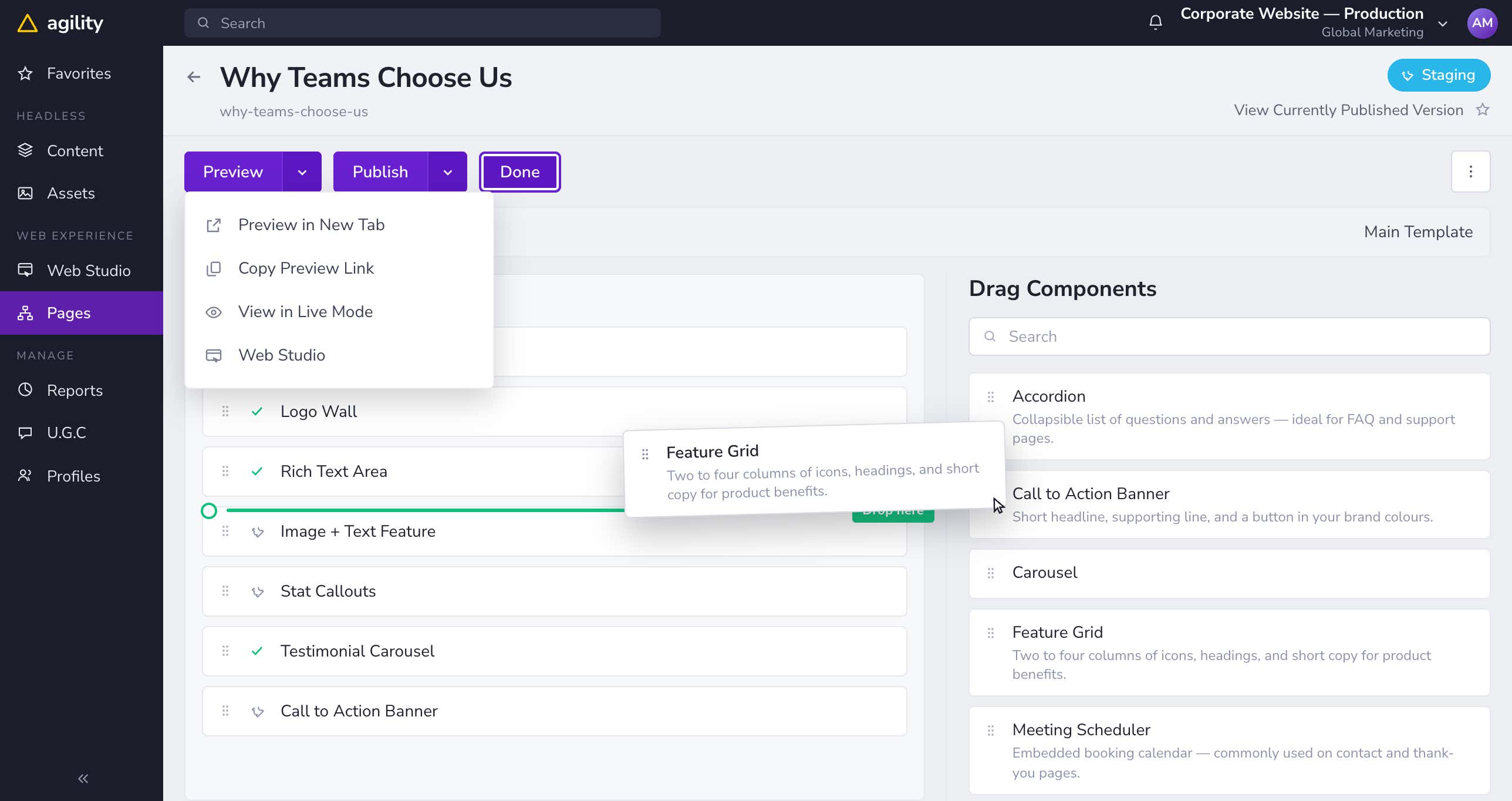
Build the page visually
Drag components into a zone, reorder them, edit the fields in place, and preview the result before anything reaches the live site.
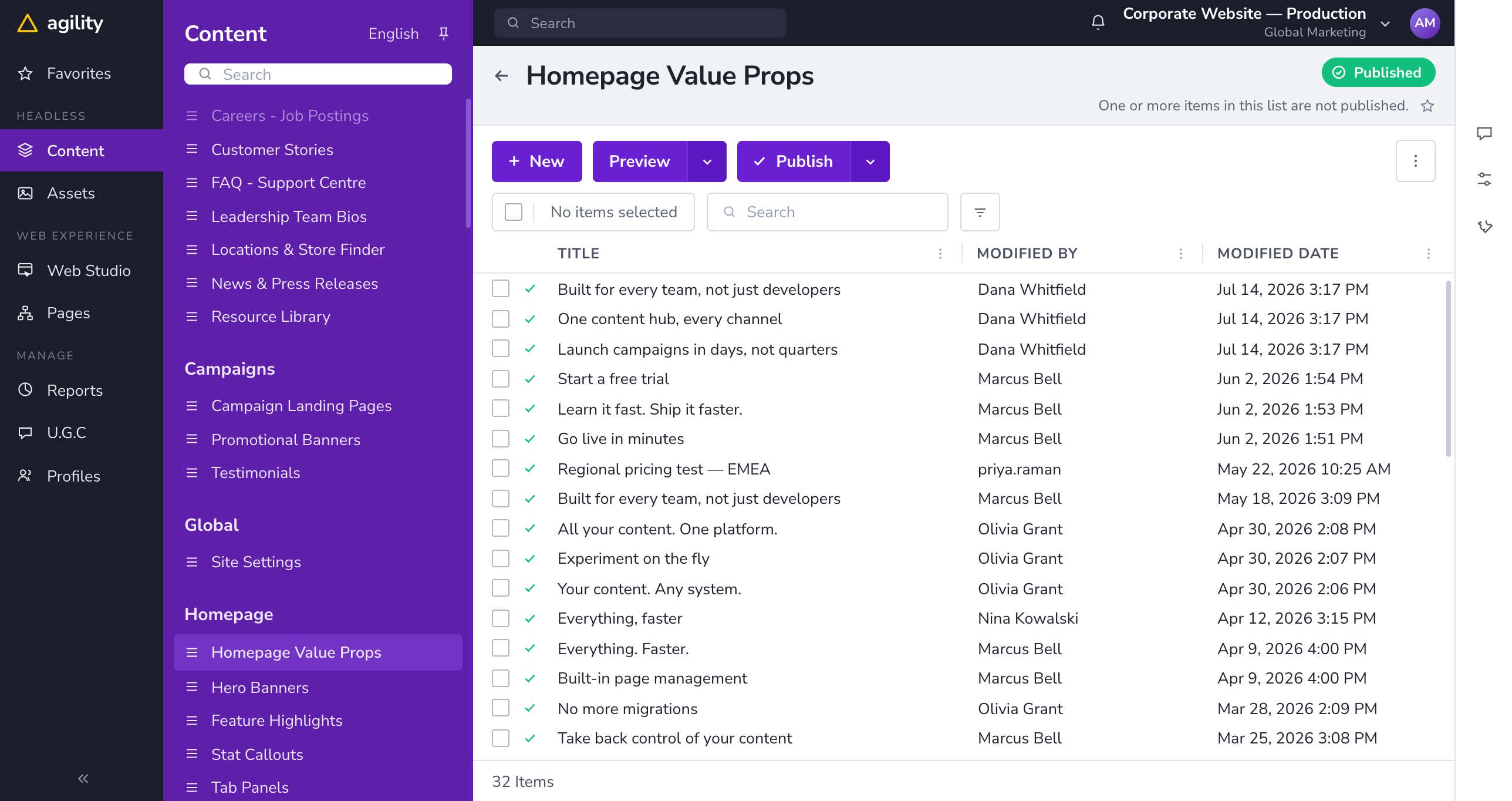
Model content once
Define a content model with the fields your team uses, then reuse that same content across web, app, email and in store screens.
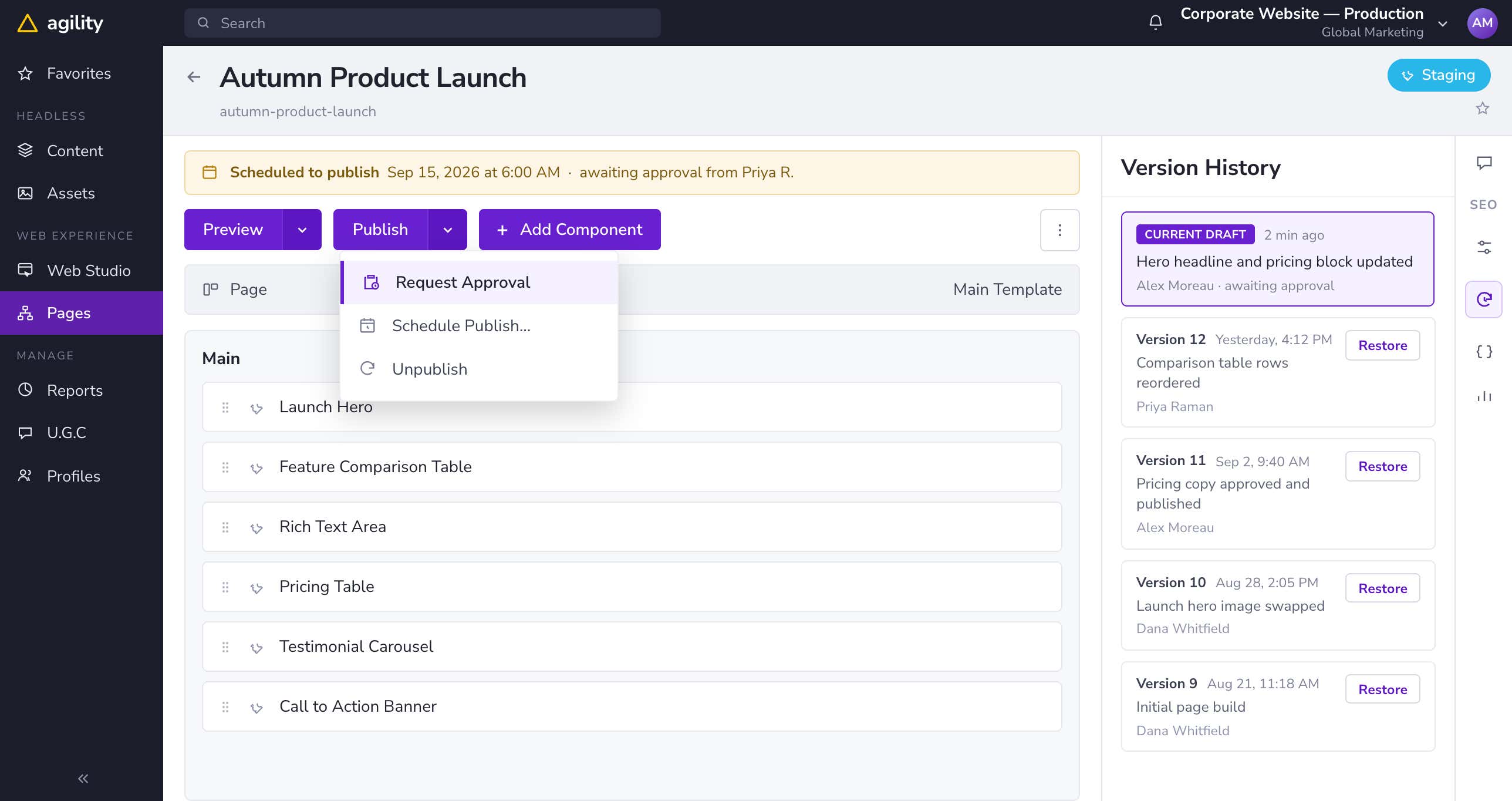
Approve, schedule, roll back
Send the change through an approval workflow, schedule it for the launch date, and roll back to any previous version if something needs undoing.
See Agility CMS on Your Own Site
Get a personalized demo and see how Agility CMS fits your team's publishing workflows, developer stack, and digital channel strategy.
Launch your way, without the usual migration pain
Agility CMS supports phased CMS migration from WordPress, Sitecore, Adobe Experience Manager and any legacy platform. Move content and channels one at a time while your current site stays live. Our team has migrated hundreds of enterprise organizations and stays with you through every stage.
If you would rather see it than read it, this one minute video shows how teams move off Drupal, AEM or Sitecore.
Drag and drop page building that unblocks marketing on day one.
Starter kits for Next.js, Nuxt, Gatsby and Astro to speed up developer setup.
Hands on migration support from the Agility CMS team.
Approval workflows, scheduled publishing, version history and audit trails from day one.
Guides on headless CMS, SEO and migration
Read content management, SEO, and CMS migration tips from Agility CMS blogs.
GUIDE
The Best CMS for SEO in 2026
The features that move rankings, plus eight enterprise platforms compared.
Read Guide →TOOL
Headless CMS ROI Calculator
Answer a few questions about your content operations and see the time and money going out the door.
Calculate your savings →CHECKLIST
Questions to Ask Before Picking a CMS
Most CMS decisions go wrong before the contract is signed. Here's what to ask first.
Get the Checklist →CUSTOMER STORIES
What teams say about Agility CMS
Swipe or use arrows
Headless CMS questions and answers
How is a headless CMS different from WordPress or Sitecore?
WordPress and Sitecore are coupled platforms, which means your content and your presentation layer are tied together. A headless CMS separates the two and delivers content through APIs, so the same content can power your website, your mobile app, digital signage and AI experiences at the same time.
Can we migrate from WordPress, Sitecore or Adobe Experience Manager?
Yes, and you do not have to do it all at once. Agility CMS is built for phased migration, so you can move content and channels one at a time while your existing systems keep running and your traffic stays where it is.
Is Agility CMS enterprise grade for security and compliance?
Agility CMS is SOC 2 Type II certified and GovRAMP registered, hosted on Microsoft Azure with a 99.95% uptime SLA. Role based access control, approval workflows, full audit trails and SSO through SAML and OAuth are all standard rather than add ons.
Which frontend frameworks does Agility CMS support?
The platform is framework agnostic, with official starter kits for Next.js, Nuxt, Gatsby, Astro and ASP.NET. The REST and GraphQL content APIs work with any JavaScript or .NET framework your developers prefer.
Will marketing still be able to build pages without a developer?
That is the part most headless platforms give up, and it is the part Agility CMS keeps. The visual page builder lets marketers assemble, edit, preview and schedule pages themselves while developers stay in control of the code and the stack.
Is a headless CMS good for SEO?
It usually helps, because you control the rendering, the page speed and the metadata rather than inheriting them from a theme. Agility CMS gives you SEO fields, redirects, sitemaps and clean URL structures on every page, which is what protects rankings through a migration.
Are you ready to ship a WebMCP tool safely?
WebMCP is a web API that lets an AI agent use functions on your website, instead of trying to work out the interface on its own.
The assessment checks your content structure, tool descriptions, security, how the API works, and actions.
Take the 2 minute assessmentPre-launch checklist
Before you build, there's a few things to check, including;
- Does your content have enough structure for the tool to return a useful answer?
- Is the tool clear about what it does?
- Do you have the workflow if an agent takes an action on behalf of a user?
Schedule a Personalized Walkthrough
You will walk away knowing whether Agility CMS is the right fit for your team, with no obligation either way.
- We listen first: We start with what is working today, what your team keeps running into, and what you need to change about your current CMS.
- See it against your stack: You get a live look at the platform and a walkthrough of how it would sit inside the stack you already run.
- Ask anything: You are talking to the people who work on this CMS every day and have run migrations, architecture and support for teams like yours.