The Best CMS for SEO in 2026


Key Takeaways
-
Your content management system (CMS) directly impacts Search Engine Optimization (SEO) performance as it determines whether updating metadata takes 30 seconds or requires developer tickets, whether pages load in 2 seconds or 8, and whether your team can scale content without dips in performance.
-
Headless CMSs deliver superior performance through global content delivery networks (CDNs). By serving content from CDN servers closest to users instead of routing through central servers, headless CMSs like Agility CMS typically outperform traditional monolithic systems on Core Web Vitals and page speed.
-
Built-in SEO features save enterprises significant time and resources. Platforms with dedicated metadata fields, integrated redirect management, and automatic sitemap generation, like Agility CMS, eliminate the need for constant developer involvement
-
Match your CMS choice to your technical resources and content complexity. Teams with strong development resources can leverage pure headless platforms for maximum flexibility, while those with limited technical capacity need platforms with visual interfaces and built-in SEO features that reduce developer dependency.
SEO remains one of the primary marketing channels enterprises turn to today. With 40% of revenue coming from organic traffic, it makes sense. However, this also means that marketing teams need to ensure their brands are found across multiple search engines, from traditional search engines like Google and Bing to AI engines like ChatGPT and Perplexity.
These teams invest heavily in content production, technical audits, and Core Web Vitals optimization. But while these tactics deliver results, one often-underestimated factor in great SEO is the content management system (CMS) powering the digital experience.
Your CMS choice directly affects whether your SEO strategy succeeds or stalls, because it controls how search engines interact with your content. The platform determines whether updating metadata requires a developer ticket, how quickly content can be published, and whether your pages load in 2 seconds or half a minute.
The best CMS for SEO doesn’t just store and manage your content; it also gives your marketing team complete control over technical SEO without waiting on developers. It delivers content to users in a way that meets page speed requirements and allows your brand to scale content without interrupting performance.
In this guide, we’ll assess the key features to look for in a CMS and evaluate 8 platforms for enterprise teams to meet their SEO needs.
Key SEO Features to Look for in a CMS
Search engines evaluate hundreds of ranking factors, but your CMS directly influences a handful of critical elements.
Customizable Page Elements
Marketing teams need complete control over page elements such as URL structures, title tags, meta descriptions, and header tags without needing to submit tickets to developers. The platform should offer dedicated fields for SEO metadata at the page level, structured data for rich results, and make it simple to add custom meta tags when needed.
Advanced Content Modeling and Management
Content modeling organizes content into modules, treating each content type as a separate entity with its own attributes and relationships. A content type is like a mold that lets you create several objects of the same nature and pattern, including media, blog posts, product pages, and home pages.
Technical SEO Capabilities
Technical SEO is one of the most overlooked but most important. 40% of B2B companies say they lack the internal expertise needed to manage technical SEO. Having a CMS that allows you to build and manage XML sitemaps and implement structured data without custom development helps minimize this workload.
Performance Optimization
Page speed is a confirmed ranking factor, and your CMS architecture often determines whether you can consistently hit the required thresholds for Google's Core Web Vitals, including Largest Contentful Paint (LCP), Cumulative Layout Shift (CLS), and Interaction to Next Paint (INP). Additionally, businesses should look for features such as image optimization, CDN integration, and clean code output to continually optimize performance.
Mobile Responsiveness
Mobile-first indexing means Google primarily uses the mobile version of your content for ranking. Your CMS needs responsive design capabilities, fast mobile load times, and the ability to deliver different content experiences across devices without duplicating pages or creating separate mobile URLs.
Content Workflow Efficiency
Internal linking, content reuse, and tool integrations, such as analytics or SEO platforms, determine how quickly your team can publish optimized content. If adding internal links requires manual HTML editing or your team can't connect to the right analytics tools, you're adding friction that compounds over time.
Best CMS Platforms for SEO in 2026
With the number of CMS platforms available, we decided to categorize our list into headless CMSs, starting with our platform, Agility CMS, before diving into traditional and open source CMSs, and legacy enterprise CMSs, to make it easier whether you’re evaluating your existing CMS or considering a new one.
Headless CMSs
Headless platforms with a global content delivery network (CDN) and API-first architecture typically outperform traditional monolithic systems in SEO. That’s because headless platforms deliver content faster by serving it from CDN servers closest to each user, while traditional systems route everything through a central server, creating performance bottlenecks.
Agility CMS: Best for enterprise content operations and multi-brand management
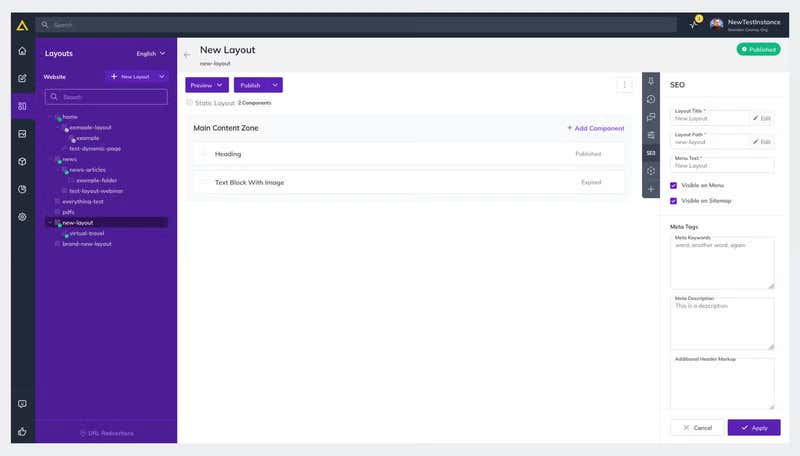
Agility CMS eliminates the trade-off between developer flexibility and marketer autonomy. Your marketing team has direct control over SEO elements, while developers work with an API-first architecture that supports modern frameworks.
SEO Advantages
-
Built-In SEO Controls: Agility includes dedicated SEO fields on every page, including titles, meta descriptions, keywords, and custom meta tags, allowing marketing teams to update metadata in seconds without developer tickets. SEO gets treated as a first-class feature rather than an afterthought requiring custom implementation.
-
Redirect Management That Actually Works: The URL Redirections feature lets your team manage redirects directly in the interface, including creating 301s and 302s, bulk-importing during migrations, and testing before deployment.
-
Global CDN & Performance: The API-first architecture enables fast initial load times. Built-in image optimization provides control over responsive images and modern formats.
-
Technical SEO Foundation: Your development team configures automatic sitemap updates when content changes. The API-first design provides complete control over JSON-LD-structured data output at the content model level.
-
Multi-Site & Localization: Multi-sitemap architecture and built-in I18n support enterprise teams managing multiple brands or regions.
Limitations
-
Not Ideal For Small Businesses: The initial setup requires developer involvement, including configuring content models, building components, and connecting to your front-end framework, although this upfront investment delivers long-term marketer independence.
HubSpot CMS: Best for solopreneurs who want a free CMS with the possibility to access cross-channel marketing and lead generation tools
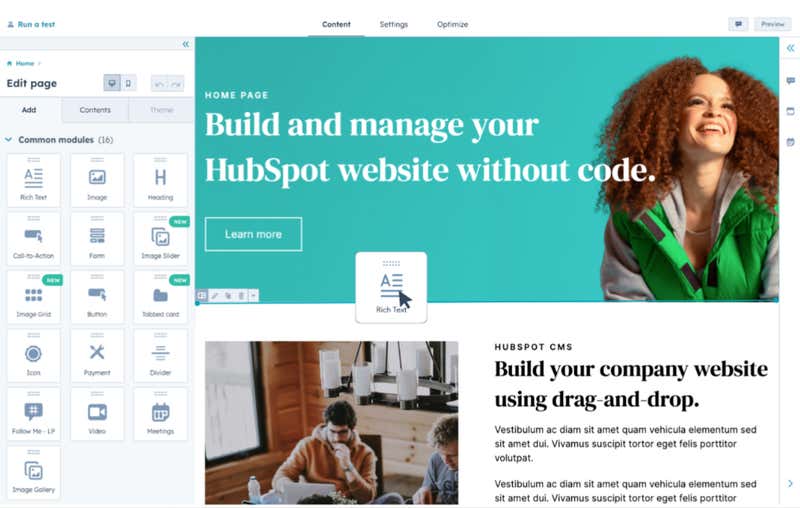
HubSpot’s free CMS tools help small business owners quickly set up and manage websites. The platform includes a drag-and-drop page builder, built-in SEO suggestions, analytics dashboards, and custom domains with free premium hosting.
For marketing teams who seek more advanced functionalities, the CMS integrates with other free or paid tools across HubSpot’s product offering. That includes omni-channel marketing automation and a native CRM: ideal for lead generation and nurturing campaigns.
SEO Advantages
-
AI-Powered SEO Suggestions: Receive on-page SEO suggestions in real-time, ranging from page speed to meta title and description, image, mobile optimization, and more.
-
Automatic Sitemaps: Automatically generate XML sitemaps to boost page crawlability and indexability.
-
Site analytics: Measure website traffic, top traffic sources, bounce rates, and dwell times directly on the platform.
Limitations
-
Free features: The free CMS SEO tools are rather limited. For extra features like dedicated SEO analytics, topic cluster development, and more advanced SEO suggestions, you’ll have to upgrade to a paid plan.
-
Customization options: The page builder is not as flexible as other CMS platforms. For example, the drag-and-drop interface snaps elements into place via pre-determined grids, rather than being pixel-perfect.
Contentful: Best for developer-first teams
Contentful is built for enterprises that have large developer resources. It excels when structured content powers multiple channels from a single source.
SEO Advantages
-
Content Modeling: Contentful uses flexible content modeling for SEO. Teams can create dedicated SEO content types with fields for metadata, canonical URLs, and structured data, then reference them from page types.
-
API-driven: Contentful’s architecture enables fast content delivery, which helps performance and Core Web Vitals.
-
Flexible URL and Metadata Management: Marketing teams have access to URL and metadata management features for detailed SEO customization.
Limitations
-
Developer Dependency: Contentful prioritizes developer flexibility over marketer ease of use. Content editors work with structured forms rather than visual builders, and setting up SEO fields requires developer configuration.
-
Cost of Ownership: Pricing escalates as content volume and user base grow, meaning that costs for enterprises with large websites can be exponentially higher.
Strapi: Best for developer teams who want open-source flexibility
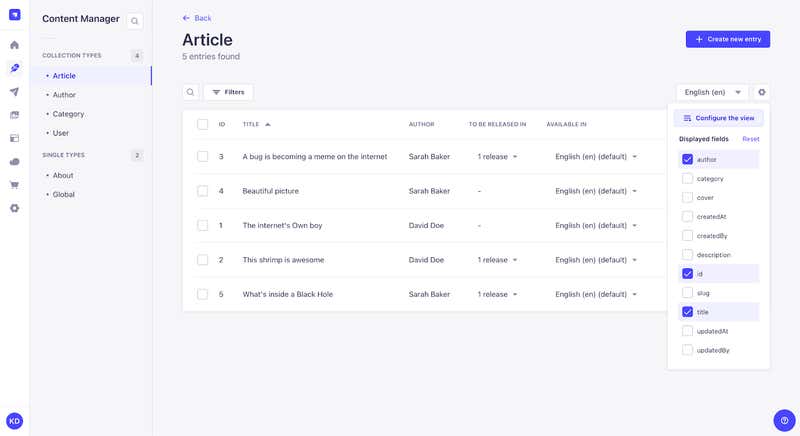
Strapi provides development teams with maximum customization flexibility through its open-source architecture. This is perfect for enterprises with developer teams that want complete control over content architecture and have the technical resources to build and maintain it.
SEO Advantages
-
Customization: Strapi is highly adaptable for specific SEO strategies. Developers can customize the admin panel, extend APIs, integrate any front-end framework, and deploy on their infrastructure
-
Flexible URL Management: Strapi supports detailed customization.
-
Performance Integration: It works well with various front-end frameworks for optimized performance, allowing teams comfortable with frameworks such as Node.js and React to have complete architectural freedom
Limitations
-
Technical Expertise Required: Strapi is developer-first by design. It needs skilled developers for setup and maintenance.
-
Reliance on Plugins: Limited built-in SEO features necessitate plugins and custom development to provide the added functionality that enterprise marketing teams typically need.
Storyblok: Best for marketing teams who want a visual editor
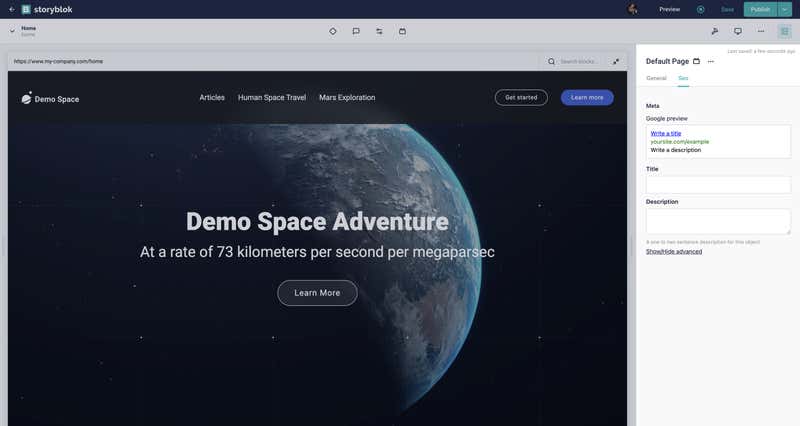
Storyblok combines headless architecture with a visual editor that lets content teams see changes in real-time, which can be valuable for teams transitioning from traditional CMS platforms.
SEO Advantages
-
Visual Editor: Teams can see page composition while managing SEO metadata in the side panels, which can feel similar to using a traditional CMS. This simplifies the management of SEO elements, such as meta tags and structured data.
-
API-driven: Storyblok’s API-first architecture ensures quick content delivery and performance.
-
Integration Support: Storyblok offers broad integration capabilities for enhanced SEO functionality. It also includes two apps for SEO management, including the AI SEO App and the SEO Fields App.
Limitations
-
Technical Setup: Storyblok requires some setup for full customization. While the visual editor improves usability, developer involvement is still necessary for setting up SEO infrastructure.
-
Out-of-the-box Features: Limited compared to more specialized platforms.
Prismic: Best for marketing websites that don’t need enterprise features
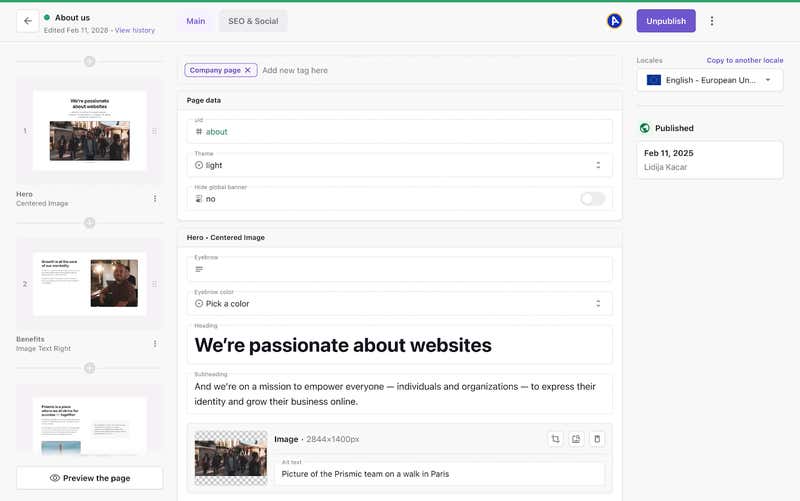
Prismic focuses on developer experience and offers reusable content components that maintain design consistency and SEO optimization.
SEO Advantages
-
Content Modeling: Prismic offers advanced content modeling capabilities. The slice-based approach works particularly well for landing pages and marketing content requiring design flexibility within SEO guardrails. These pre-built content components (slices) help ensure that proper heading hierarchy and formatting are consistently applied to pages.
-
Performance Optimization: An efficient content delivery network (CDN) can improve load times and enhance performance, which is crucial for Core Web Vitals and the user experience.
-
Front-end Framework Integration: As a headless CMS, Prismic integrates well with popular frameworks, which can also improve page performance.
Limitations
-
Native SEO Features: Native SEO features in Prismic are somewhat limited, particularly for enterprise customers, so brands often require additional tools.
-
Customization Flexibility: Prismic offers less customizability than other headless CMS options. However, since it also requires development resources for setup and ongoing SEO customization, this adds an additional burden to development teams.
Traditional and Open Source Platforms
Traditional and open-source platforms are typically widely used by many organizations, meaning extensive documentation, proven SEO plugins, and massive community support are readily available.
WordPress: Best for blog-based websites and small businesses
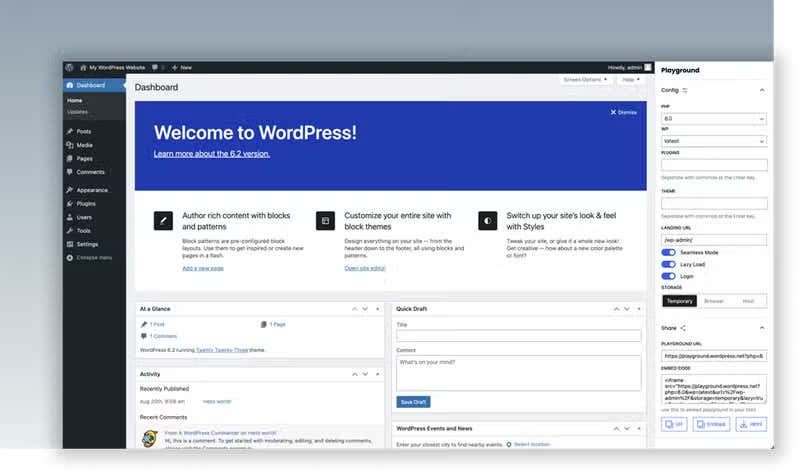
WordPress powers roughly 43% of all websites, making it the default choice for straightforward content sites, blogs, and marketing properties without complex enterprise requirements.
SEO Advantages
-
Ease of Use: WordPress’s massive user base ensures endless tutorials and community support. Content editors find the interface familiar and intuitive.
-
SEO Plugins: A wide array of plugins, such as Yoast SEO, enhance functionality by offering features including meta title and description management with character count validation, snippet preview in the editor, XML sitemap generation, breadcrumb support, and schema.org structured data.
-
URL and Metadata Management: WordPress simplifies SEO tasks by handling basic metadata, sitemaps, structured data, and content optimization without requiring developers.
-
Customization: Highly customizable to meet various SEO needs. For smaller teams without significant technical resources, WordPress offers an accessible path to competent SEO performance.
Limitations
-
Performance Issues: Can arise from excessive plugins or poorly optimized themes. Also, WordPress wasn't designed for enterprise scale, so performance degrades as content volume increases.
-
Security Concerns: WordPress requires diligent management and updates as plugins create security vulnerabilities and compatibility issues.
-
Lack of collaboration features: The UI is designed for single authors. It’s not impossible to do WordPress work at scale, but it is costly and not easy to achieve.
Drupal: Best for enterprise open source teams
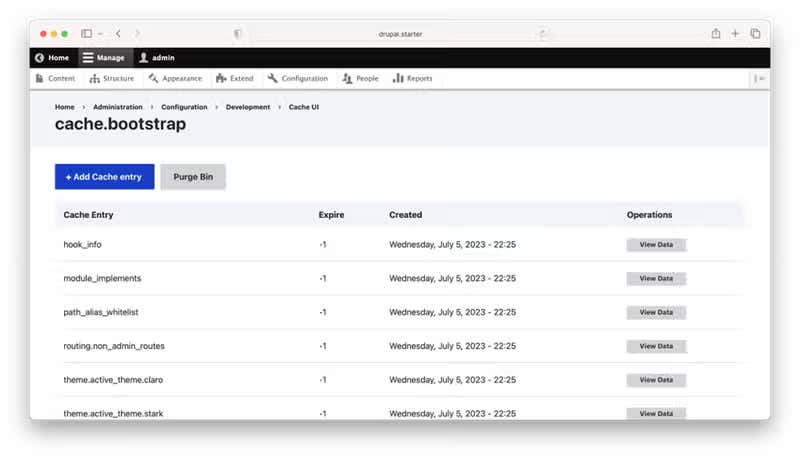
Drupal is a powerful open-source CMS designed for large, complex, high-traffic websites such as government agencies, universities, and enterprises with massive content requirements.
SEO Advantages
-
Extensive Customization: Drupal offers comprehensive control over URLs, metadata, and structured data. The platform handles complex content relationships, multilingual sites with proper hreflang, and sophisticated workflows.
-
Advanced SEO Modules: Provides modules for real-time SEO checks and detailed URL management. The architecture gives technical teams complete control over URLs, structured data, canonical tags, and every technical SEO element.
-
Scalability: Drupal is ideal for large, dynamic websites that require robust performance, as it can scale to handle millions of pages without degrading performance.
Limitations
-
Technical Demands: Drupal requires substantial technical expertise, including Drupal-specific knowledge and general web development skills. Additionally, implementation timelines are longer, and costs can be higher than with modern headless platforms.
-
Complexity: There is a steep learning curve for non-technical users, including handling simple tasks such as updating metadata or managing redirects. For marketing teams accustomed to user-friendly interfaces, Drupal feels dated and cumbersome.
Legacy Enterprise Platforms
Legacy enterprise platforms are ideal for large multinational organizations that have already invested heavily in the platform and need to maximize their existing infrastructure rather than migrate.
Sitecore: Best for enterprises already on Sitecore
Sitecore XP (Experience Platform) remains in use at many large enterprises, particularly in regulated industries and organizations with long-term platform commitments. If your organization is already on Sitecore, understanding how to maximize its SEO capabilities matters, even if you later consider migrating to a more agile alternative.
SEO Advantages
-
Comprehensive Features: Sitecore provides comprehensive SEO capabilities, including metadata management, URL control, redirect management, multisite support, personalization, and workflow management.
-
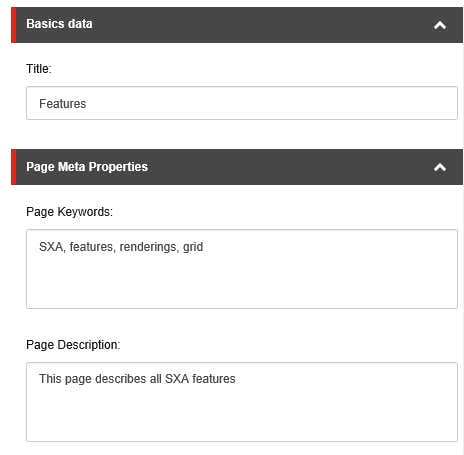
Customization and URL Management: Sitecore includes dedicated fields for page titles, meta descriptions, and keywords, and allows custom meta tag configuration.
-
Technical SEO: Sitecore supports XML sitemap generation, canonical URLs, hreflang tags for international sites, and structured data implementation through custom components.
Limitations
-
Agency Dependency: Implementing and maintaining these features requires specialized Sitecore developers with deep platform expertise. Simple tasks become complex as updating metadata often requires developer tickets or navigating complex interfaces.
-
Architectural Issues: Managing multi-site SEO at scale poses an architectural challenge that requires careful planning and ongoing technical oversight.
-
Performance: Sitecore’s monolithic architecture results in slow page loads unless you invest heavily in caching layers, CDN configuration, and infrastructure optimization.
Comparison Table
|
Platform |
Architecture |
Best For |
Key Strength |
Limitation |
Pricing |
|
Agility CMS |
Headless CMS |
Enterprise content operations and multi-brand management |
Built-in SEO controls with dedicated fields on every page |
Initial setup requires developer involvement |
$1,249/month (30-Day Free Trial) |
|
HubSpot |
Headless CMS |
Small business owners and solopreneurs |
Free solution with SEO tools, reports, and the option to access extra free or paid sales and marketing features |
Not as customizable as other CMS platforms |
Free |
|
Contentful |
Headless CMS |
Developer- first teams |
Flexible content modeling for SEO |
Developer dependency - requires developer configuration for SEO fields |
$300/month |
|
Strapi |
Open-source headless CMS |
Developer teams who want open-source flexibility |
Complete customization and architectural freedom |
Limited built-in SEO features, requires plugins and custom development |
Free (open source) |
|
Storyblok |
Headless CMS with visual editor |
Marketing teams who want a visual editor |
Visual editor with real-time preview |
Limited out-of-the-box features |
Free |
|
Prismic |
Headless CMS |
Marketing websites that don't need enterprise features |
Slice-based content modeling for design consistency |
Limited native SEO features |
$10/month |
|
WordPress |
Traditional CMS |
Blog-based websites and small businesses |
SEO plugins (Yoast SEO) with extensive functionality |
Performance degrades at enterprise scale |
Free (open source) |
|
Drupal |
Open-source CMS |
Enterprise open source teams |
Extensive customization with complete control over SEO elements |
Steep learning curve for non-technical users |
Free (open source) |
|
Sitecore |
Legacy enterprise platform |
Enterprises already on Sitecore |
Comprehensive SEO features with personalization |
Requires specialized developers for simple tasks |
Contact for pricing |
Why Agility Is Perfect for Enterprises
Agility CMS is renowned for its ease of use and scalability, making it an excellent choice for businesses targeting rapid growth and robust performance. Its API-first architecture ensures content can be delivered across multiple channels, which is crucial for maintaining an optimal user experience and high search engine rankings.
It also provides the combination of built-in SEO features, marketer autonomy, and developer flexibility that eliminates the trade-offs inherent in other solutions. The platform's hybrid architecture delivers the technical foundation required for enterprise SEO without sacrificing the usability that keeps marketing teams productive.
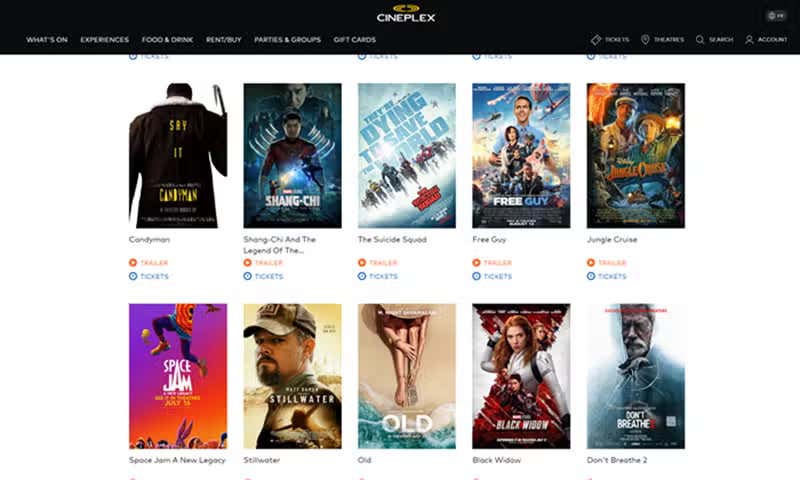
When Cineplex, a leading entertainment and media company, wanted to enhance its digital presence, improve performance, scalability, and usability across digital platforms, it sought out Agility CMS. Since implementation, Cineplex has seen improved digital performance, enhanced SEO, improved UX, and operational efficiency.
How to Choose the Right CMS For Your SEO Needs
Choosing the right CMS for your SEO needs depends on your current situation, technical resources, and the complexity of your content.
-
Assess your current situation
Are you migrating from a legacy solution or starting fresh when choosing a CMS? If you’re coming from another legacy platform, then prioritize strong redirect management, API-based content access for incremental migration, and proven enterprise implementations. If you’re building a new property or replacing a simpler CMS gives you more freedom to prioritize features matching your specific needs, whether that means visual editing, developer flexibility, or marketer autonomy matter more than migration capabilities.
-
Evaluate your technical resources
The next step is to evaluate your technical resources. Do you have a dedicated developer team or limited resources?
Strong front-end development resources who are comfortable with React, Next.js, or similar frameworks mean that pure headless platforms like Contentful, Strapi, and Prismic can give you maximum flexibility.
On the other hand, having limited technical resources or requirements for marketing team independence means prioritizing platforms with built-in SEO features and visual interfaces, such as Agility CMS, Storyblok, or WordPress with quality plugins, to reduce developer dependency for routine SEO tasks.
Alternatively, for enterprises with deep technical expertise that want complete control, open-source options like Drupal or Strapi are attractive. But this ownership means your team handles all ongoing maintenance, security updates, and support.
-
Content complexity
The complexity of the content on your website, whether that means blogs and simple pages compared to multiple brands and channels, will also determine the best CMS option.
Straightforward content, such as blogs, marketing sites with hundreds of pages, and simple product catalogs, can work fine with WordPress or Prismic without over-engineering. Complex content models with thousands of pages, reusable components, and multi-channel distribution need headless platforms like Contentful, Agility, or Strapi that handle complexity better than traditional CMS.
On the other hand, for massive enterprise requirements such as 50,000+ pages, complex taxonomy, and extensive localization, platforms proven at that scale are required. Agility, Contentful, and Drupal all handle enterprise volume.
Wrapping Up
There's no single "best" CMS for SEO, as requirements vary dramatically depending on team structure, technical resources, content complexity, and business goals. The CMS you choose will either accelerate your SEO strategy or create friction that compounds over time.
Evaluate based on how each platform handles metadata management, redirect control, page speed, and marketer independence. The right platform makes SEO execution straightforward rather than requiring workarounds for every technical requirement.
FAQs
Which CMS has the best built-in SEO features?
Agility CMS provides the most comprehensive built-in SEO features for enterprise teams, including dedicated metadata fields, integrated redirect management, and sitemap generation, all included in the core platform. WordPress with SEO plugins like Yoast offers strong SEO capabilities for straightforward sites, but requires plugin management and doesn't scale as cleanly for enterprise requirements. Other headless platforms like Contentful and Strapi provide SEO capabilities through configuration and custom development rather than built-in features.
Does my CMS choice actually affect SEO rankings?
Your CMS directly impacts technical SEO factors that influence rankings, including page speed, mobile performance, URL structure, metadata control, and sitemap accuracy. A CMS that delivers slow page loads, requires developer intervention for metadata updates, or makes redirect management difficult will hurt your rankings over time. However, content quality, backlinks, and on-page optimization still matter more than CMS choice.
Can I migrate from Sitecore without losing SEO rankings?
Yes, but success requires careful planning. The key is comprehensive redirect mapping, thorough testing before launch, and preserving existing URL structures where possible. Modern platforms like Agility CMS support bulk redirect imports and provide API access for incremental content migration, which reduces risk. Plan for 3-6 months of migration work, depending on content volume; implement redirects before cutover; monitor Search Console closely post-launch; and expect some temporary ranking fluctuations, even with perfect execution.
Is a headless CMS better or worse for SEO than traditional CMS?
A headless CMS can be excellent for SEO when implemented correctly, as its API-first architecture enables faster page loads via CDN delivery, and modern frameworks support server-side rendering for optimal indexability. However, headless platforms require more technical implementation upfront, and some don't provide automatic SEO features. Traditional CMS platforms offer more built-in SEO features but often suffer from slower performance and architectural limitations.
How important is page speed for SEO?
Page speed directly impacts rankings through Core Web Vitals, which Google explicitly uses as ranking factors. Beyond rankings, page speed affects user behavior, so slower sites see higher bounce rates and lower conversion rates. Your CMS influences page speed through architecture (headless vs. monolithic), CDN capabilities, and how efficiently it delivers content to browsers.

About the Author
Bryna is Director of Marketing at Agility CMS. Joining Agility in 2025, she brings over 20 years of experience driving growth for SaaS companies through customer-centric marketing programs. She specializes in building scalable lead generation engines, launching comprehensive webinar series, and designing data-driven email campaigns that deliver measurable results.
She holds a Bachelor of Arts and Communications from York University and a postgraduate certificate in Public Relations and Corporate Communications. As Director of Marketing, Bryna oversees marketing strategy and execution, working closely with the community to deliver valuable content and programs. When she's not driving marketing initiatives,
Bryna enjoys running and cycling, and serves on the Board of Directors for the Canadian Liver Foundation.