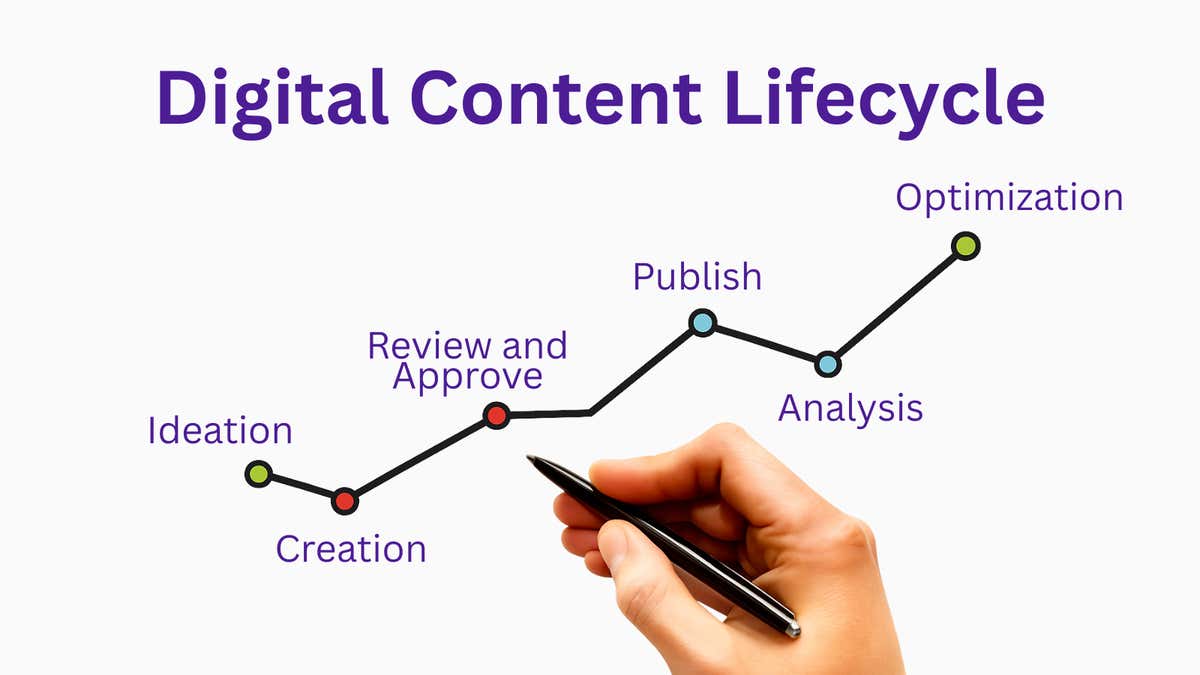
Content Lifecycle Management: The Hidden Cost of Getting It Wrong
How to Use a Modern CMS to Create an Efficient Content Lifecycle


Key Takeaways
-
Content lifecycle management (CLM) is the end-to-end process governing how content is planned, created, stored, approved, published, tracked, and retired across enterprise teams.
-
Poor CLM costs enterprises through operational waste from manual workarounds, revenue leaks from missed launch windows, and inconsistent experiences, and the accumulation of technical debt from platforms that no longer fit how teams work.
-
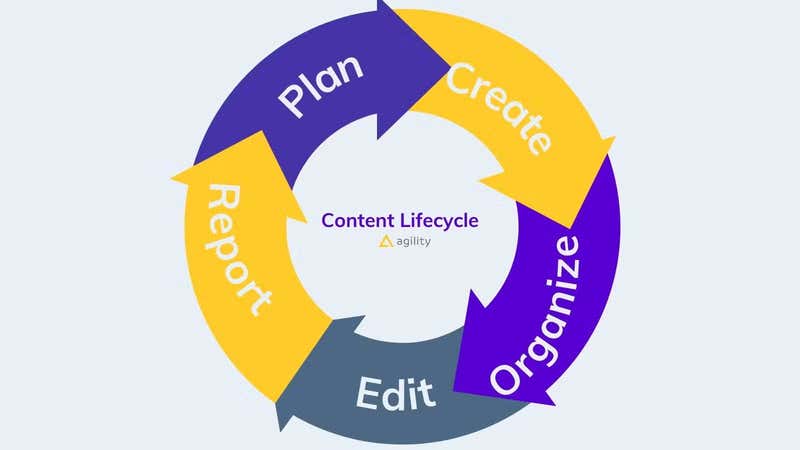
Effective CLM requires managing seven stages—planning, creation, storage, editing, publishing, reporting, and retirement—and when even one stage breaks down, the entire lifecycle suffers.
-
Modern content management system (CMS) platforms like Agility CMS support effective CLM through centralized content hubs, role-based permissions for scalable governance, and integrated analytics that provide visibility into both content performance and operational bottlenecks.
Customers expect personalized experiences across every digital touchpoint, including websites, apps, kiosks, and displays with content tailored to their location, preferences, and needs. AI and automation have only accelerated this shift, requiring marketing teams to deliver not just more content, but contextually relevant content at scale.
For enterprises with multiple digital properties, this creates a serious operational challenge. Yet many companies attempting to meet these expectations with a legacy content management system (CMS) find themselves unable to keep up. The symptoms manifest as developer tickets for simple content updates, assets being recreated because nobody can find the original, and brand guidelines being ignored because there's no enforced approval process.
These are signs of a broken content lifecycle, and in most cases, your CMS is the culprit. Yet legacy platforms weren't built to handle modern content operations. According to Forrester, time-to-market is the primary business driver for CMS purchases, yet legacy platforms continue to slow teams down due to structural bottlenecks.
In this article, we'll explain what content lifecycle management involves, what poor CLM costs you, and what a modern CMS should do to solve it.
What Is Content Lifecycle Management?
Content lifecycle management (CLM) is the end-to-end process of governing how content is planned, created, stored, approved, published, tracked, and retired. It covers every stage of a content piece's existence, from the initial idea to its archiving or deletion.
CLM is how content operations principles get applied in practice. While content operations focuses on the systems and governance that enable efficient content creation, CLM governs the journey each individual asset takes from creation to retirement.
For enterprise teams, CLM is the operational framework that determines how efficiently your marketing team can execute, how consistently your brand shows up across channels, and how quickly you can respond to market changes.
Done well, CLM delivers measurable benefits:
-
Fewer content errors reaching publication
-
Reduced duplication of work across teams and departments
-
More consistent brand voice and messaging across channels
-
Faster time-to-publish through automated, gated workflows
-
Better visibility for leadership on what content exists and how it performs
The Cost of Poor Content Lifecycle Management
Most enterprises don't have a content problem but rather a content operations problem. The content exists, but there is no reliable system governing how it moves, who owns it, or what happens after it is published. The costs of that gap tend to be invisible until they become impossible to ignore.
Hidden Operational Costs
When your content lifecycle has no clear structure, your team fills the gaps manually. Assets get recreated unnecessarily, editors approve content without proper assessments, and simple updates require IT tickets because the platform's rigid workflows can't accommodate routine changes.
On legacy platforms, this operational drag is structural, and marketing teams can't customize approval processes or publishing schedules without incurring significant development costs. According to the Content Marketing Institute's 2026 Technology Trends survey, 81% of technology marketers report improved operational efficiency with modern platforms. Unfortunately, these are efficiency gains that legacy systems make impossible
Revenue Impact
Slow content operations undermine your ability to capitalize on moments like product launches, seasonal campaigns, and market shifts. This looks like teams taking two weeks to get a campaign live because approvals are stuck. For organizations with high content velocity, such as entertainment brands or retailers with frequent product updates, a broken content lifecycle creates inconsistencies that impact revenue.
Technical Debt
Legacy platforms also create a third cost, namely, technical debt. As workarounds accumulate and custom integrations become liabilities when requirements shift, the platform configured five years ago no longer reflects how your team works today.
The 7 Stages of the Content Lifecycle
Understanding where your content operations break down starts with knowing what a healthy content lifecycle looks like. Here are the seven stages every enterprise content team needs to manage and where legacy systems most often fall short.
-
Planning and Strategy: The content lifecycle starts with thorough planning. This means defining content categories, establishing naming conventions, mapping your tech stack, and identifying content owners. Without this foundation, the rest of the lifecycle operates on guesswork.
-
Creation and Collaboration: This stage gives every person on your content team a clear role and the context they need to execute. On platforms where content is locked behind developer access, editors and marketers are constantly blocked.
-
Storage and Organization: Proper organization means consistent taxonomy, naming conventions, and searchable metadata so your team can find what they need in seconds. When assets are scattered across a CMS, shared drives, and desktops, content is recreated rather than reused.
-
Editing and Approvals: An approval workflow ensures every piece has gone through the necessary checks before going live. Without structured workflows, there is no audit trail, no accountability, and no way to enforce standards consistently.
-
Publishing and Distribution: After content is created, edited, and approved, it needs consistent distribution across channels. Legacy platforms often require channel-specific duplication, while modern systems let you build once and deliver everywhere.
-
Reporting and Analytics:Once content is live, you need clear visibility into performance, including engagement, conversions, and operational metrics like time-to-publish. Without this data, you can't identify where the lifecycle is breaking down or make informed improvements.
-
Asset Preservation and Retirement: Old content doesn't disappear but accumulates unless something is done about it. Without a clear archiving policy, your CMS fills up with outdated assets, creating confusion and risk at scale.
How Modern CMS Platforms Support Content Lifecycle Management
Unlike a legacy CMS, a modern CMS isn't just a storage system; it's the operational infrastructure that enables effective content lifecycle management.
Centralized Content Hub
Consolidating onto one platform eliminates the operational waste of recreating and hunting for assets. When content exists in one place with consistent taxonomy, version control, and search, omnichannel distribution becomes straightforward since teams can structure content once and deliver it everywhere without manual reformatting.
Role-Based Permissions and Security
For enterprise teams, access control is core to content governance. Role-based permissions ensure the right people can create, edit, approve, and publish content, while protecting sensitive material from unauthorized changes.
Analytics and Reporting
Marketing teams need visibility into how content performs across channels, how it moves through workflows, and where bottlenecks create delays. A modern CMS should offer native reporting or seamlessly integrate with your existing analytics stack to deliver a complete operational view without custom data pipelines.
Why Agility CMS Is Built for Enterprise Content Lifecycle Management
Most CMS platforms address one or two stages of the content lifecycle well. Agility CMS was designed to support the entire lifecycle with enterprise-grade tooling.
Enterprise-Grade Lifecycle Tools
Agility provides built-in gated workflows for approvals, reviews, and publishing with no custom development required. For teams needing specific workflows, Agility's Content Webhooks and Management API enable custom automations like:
-
Auto-posting to social channels when articles are published
-
Triggering Slack notifications for content updates
-
Running automated content checks and flagging errors to authors
With built-in user roles and granular content security, Agility handles access control without requiring IT involvement for every permissions change.
Omnichannel Delivery and Integration
Agility's headless architecture means content is structured once and delivered everywhere, including web, mobile, digital signage, IoT devices, apps, and more. Additionally, Agility integrates with your marketing stack via REST API, including CRMs and analytics. For teams consolidating their tech stack, this extensibility makes adoption practical rather than disruptive.
Delivering Performance, Scalability, and Usability for a Movie Theater Giant
When Cineplex Canada's largest movie theatre chain with 70 million annual guests came to Agility CMS, they needed to manage multiple properties. However, their existing CMS limited their design capabilities and made frequent updates to showtimes, contests, and promotions painfully slow.
By decoupling content from code, Cineplex's team could update movie details, metadata, news, and contests independently, resulting in 15% growth in ad revenue, 1.6 million daily page views, and 90,000 app installs. Moreover, when unexpected issues arose, their composable architecture enabled them to pivot quickly, enabling e-commerce and streaming as alternative revenue streams. Their flexible content lifecycle became a business continuity asset.
Wrapping Up
Content lifecycle management determines whether your team executes efficiently or spends days firefighting. The tools and workflows you use decide how much time goes toward creating value versus managing chaos.
If your current platform creates more lifecycle problems than it solves, see what a CMS built for enterprise content operations looks like. Get a personalized demo of Agility CMS and see how it supports your content lifecycle from planning to publication.
Frequently Asked Questions
How do I know if my CMS is causing content lifecycle problems?
Look for symptoms such as simple updates requiring developer tickets, long approval cycles, and assets being recreated because teams can't find originals. If your team spends more time managing workarounds than creating content, your CMS is the bottleneck.
What's the difference between content operations and content lifecycle management?
Content operations refers to the systems, processes, and governance enabling efficient content creation across your organization. Content lifecycle management is how those principles get applied to individual assets, thereby governing each piece's journey from planning through retirement.
Can I improve CLM without replacing my CMS?
Only if your platform supports workflow customization, API integrations, and role-based permissions. If your CMS has tightly coupled content and code, lacks structured workflows, or requires developers for routine updates, you're treating symptoms rather than solving the root problem.

About the Author
Joanna Olaru-Boyle is a B2B SaaS marketing manager specializing in demand generation and lifecycle campaigns. She has built her career across companies in technology, retail and events, driving multi-channel programs that create demand and attract new customers.
She holds a Bachelor's degree in History and English from the University of Toronto, a Corporate Communications diploma from Centennial College, and is certified as both a Salesforce AI Associate and Salesforce Pardot Specialist.
Joanna thrives where data and creativity meet and is just as passionate about supporting others in their mental health journey as she is about pipeline growth.