Announcing the New Agility CMS .NET 10 Starters: Blazor SSR & MVC

TL:DR
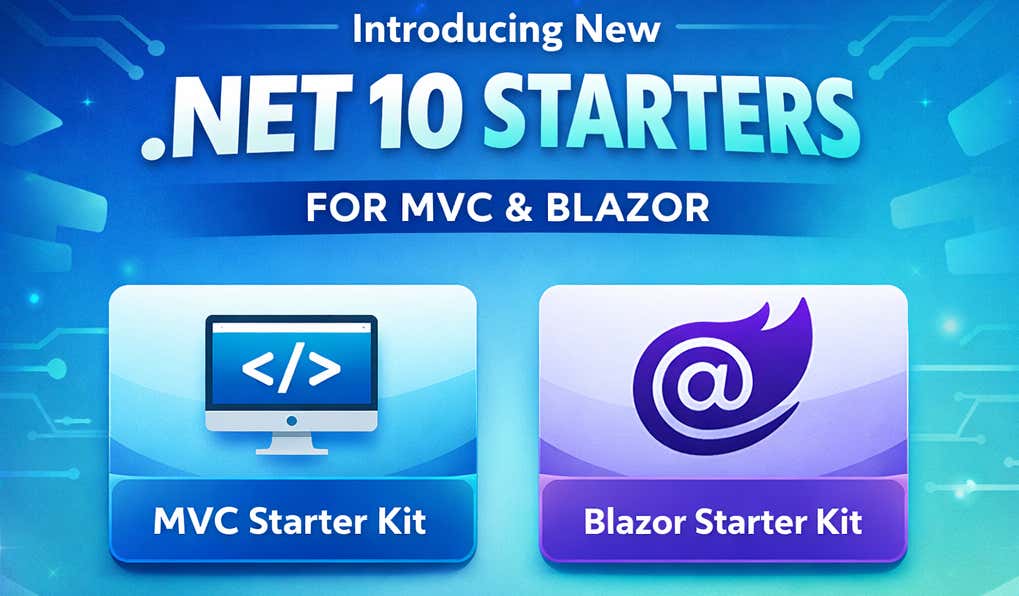
We're excited to announce a major update to how you build websites with Agility CMS and .NET. Today, we're releasing two production-ready starters—a modern Blazor SSR starter and a refreshed MVC starter—along with completely rewritten documentation to help you get up and running faster than ever.
What's New?
Blazor SSR Starter
Our brand new Blazor SSR starter brings the latest in .NET web development to Agility CMS. Built on .NET 10, it combines the performance benefits of server-side rendering with the option to add rich interactivity—all using C#.
Why developers love it:
- Server-Side Rendering for blazing-fast page loads and SEO optimization
- Optional Interactivity via SignalR—add real-time features without writing JavaScript
- Single-File Components with
.razorfiles that combine markup and logic - Built-in Image Optimization with our
AgilityPiccomponent for responsive images
Refreshed MVC Starter
For teams that prefer the tried-and-true ASP.NET patterns, our MVC starter has been completely modernized for .NET 10 while keeping the familiar Razor Pages and ViewComponent architecture you know.
Why teams choose it:
- Traditional ASP.NET patterns your team already understands
- ViewComponents that map directly to Agility modules
- No WebSocket requirements—simpler infrastructure needs
- Proven architecture that scales with your organization
Completely Rewritten Documentation
We didn't just update the starters—we rewrote the entire .NET documentation from the ground up. The new docs cover everything from getting started to production deployment, with clear explanations and real code examples.
New documentation includes:
- Step-by-step getting started guide
- Deep dives into Pages, Components, and Page Models
- REST API and GraphQL content fetching
- Configuration and environment variables
- One-click Azure deployment
- Migration guide for existing .NET projects
One-Click Azure Deployment
Both starters include pre-configured ARM templates for deploying to Azure App Service with a single click. Just enter your Agility API credentials, and you'll have a production-ready site in minutes.
The deployment automatically configures:
- Linux App Service running .NET 10
- WebSockets for Blazor interactivity (when needed)
- AlwaysOn to eliminate cold starts
- HTTPS with TLS 1.2 minimum
- Optimized cache headers for CDN compatibility
GraphQL + REST: Query Content Your Way
Both starters support our Fetch API with full GraphQL capabilities. Query exactly the fields you need, reduce payload sizes, and build efficient data fetching strategies:
var posts = await FetchApi.GetContentByGraphQL<Post>(@"
    {
        posts(take: 10, sort: ""fields.date"", direction: ""desc"") {
            contentID
            fields {
                title
                slug
                excerpt
                image { url }
            }
        }
    }
", "posts", "en-us");
Or use our typed REST endpoints for simpler use cases:
var posts = await FetchApi.GetTypedContentList<Post>(
    referenceName: "posts",
    locale: "en-us",
    take: 10
);
Built for Content Editors
These starters aren't just developer-friendly—they're designed with content editors in mind:
- Editor-Driven Pages: Content editors control the sitemap and page structure directly in Agility CMS, without needing developer involvement for every change
- Drag-and-Drop Modules: Components map directly to Agility modules, so editors can build pages visually
- Instant Preview: Preview draft content before publishing, with secure preview URLs
- Webhook-Powered Updates: Content changes publish automatically through our cache invalidation system
Which Starter Should You Choose?
| If you want... | Choose... |
|---|---|
| Modern C# component patterns | Blazor SSR |
| Interactive features without JavaScript | Blazor SSR |
| Traditional ASP.NET experience | MVC |
| Simpler deployment (no WebSockets) | MVC |
| A team new to .NET | Blazor SSR |
| An experienced ASP.NET team | MVC |
Both starters share the same content fetching, caching, and deployment patterns—so your choice comes down to component architecture preference.
Get Started Today
Ready to build your next project with Agility CMS and .NET 10?
Migrating from an Older .NET Implementation?
If you're running an older Agility .NET integration, we've got you covered. Our new Migration Guide walks you through updating from legacy .NET MVC 4/5 implementations to the modern starters, including:
- API method mapping from Content Repository to Fetch API
- Converting views to Blazor components or ViewComponents
- Updating configuration from Web.config to appsettings.json
- Step-by-step migration checklist
What's Next?
This release is just the beginning. We're continuing to invest in the .NET ecosystem with plans for:
- Additional component examples and patterns
- Performance optimization guides
- Advanced caching strategies
- More deployment options
We'd love to hear your feedback. Join the conversation in our Community or open an issue on GitHub.
Ready to see what you can build? Get started with Agility CMS and .NET today.

About the Author
Joel is CTO at Agility. His first job, though, is as a father to 2 amazing humans.
Joining Agility in 2005, he has over 20 years of experience in software development and product management. He embraced cloud technology as a groundbreaking concept over a decade ago, and he continues to help customers adopt new technology with hybrid frameworks and the Jamstack. He holds a degree from The University of Guelph in English and Computer Science. He's led Agility CMS to many awards and accolades during his tenure such as being named the Best Cloud CMS by CMS Critic, as a leader on G2.com for Headless CMS, and a leader in Customer Experience on Gartner Peer Insights.
As CTO, Joel oversees the Product team, as well as working closely with the Growth and Customer Success teams. When he's not kicking butt with Agility, Joel coaches high-school football and directs musical theatre.