What is your developer-dependent CMS actually costing you? Calculate your costs and get a full report


Starter
Using the Astro Starter
Learn how to get started with Agility CMS and Astro.
Legacy — Astro docs are no longer actively maintained. The Astro starter targets Astro 4; the current release is Astro 7. See why we recommend Next.js and .NET. If you need Astro, let us know.
Astro paired with Agility CMS is a stack that delivers remarkable Developer Experience (DX), enables lightning-fast User Experiences (UX), and allows for best-in-class Editor Experience (EX). This article is aimed to help you get started with Astro and Agility CMS using a starter site.
Develop Components, not Websites
When building a site with Astro and Agility, we always recommend developers start by taking a look at our Astro Starter, rather than starting from a blank slate. It showcases features such as our native Layout Management and shows how you should structure your Astro website. Our Astro and Agility starter serves as an example based on our recommended best-practices.
Editors have fine-grain control with the ability to manage all aspects of their page. They're able to control what pages are on their website, and what is on each page. This means you can focus on building UI Components (i.e. Page Modules and Page Templates) that editors will use/reuse to compose their pages.
Set Up the Instance
- Sign up for a free account and use the Next.js starter (it has a preconfigured models and content we want to use :)
- Click here https://agilitycms.com/starters/nextjs and use the "Start free project" to get started.
- Clone this repo: https://github.com/agility/agility-astro-starter
- Rename the
.env-examplefile to .env and fill out the values from the API Keys settings page in Agility here https://app.agilitycms.com/settings/apikeys
- install NPM dependencies (
npm install,yarnetc)
- run it locally (
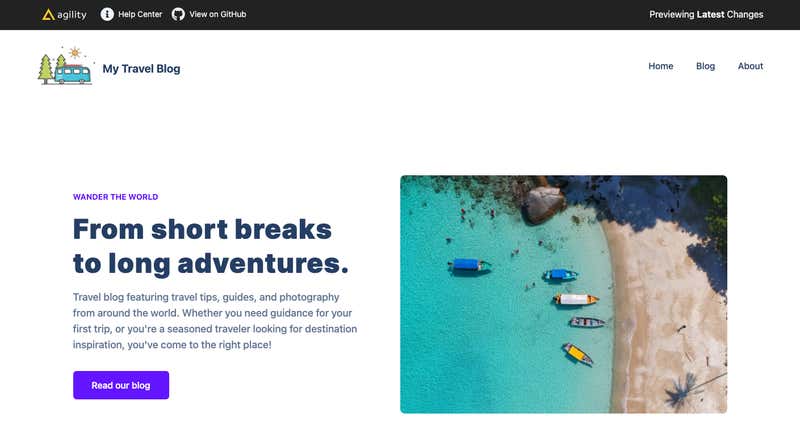
npm run dev,yarn devetc) - Launch your browser the URL you see in your console, and you should see something the following:
On this page