What is your developer-dependent CMS actually costing you? Calculate your costs and get a full report


Platform · Page Management
Page Management: the control plane for your site's pages.
Pages, URLs, and sitemaps live in Agility — editors create and compose pages from components developers built. The whole page lifecycle belongs to your team, not your backlog.
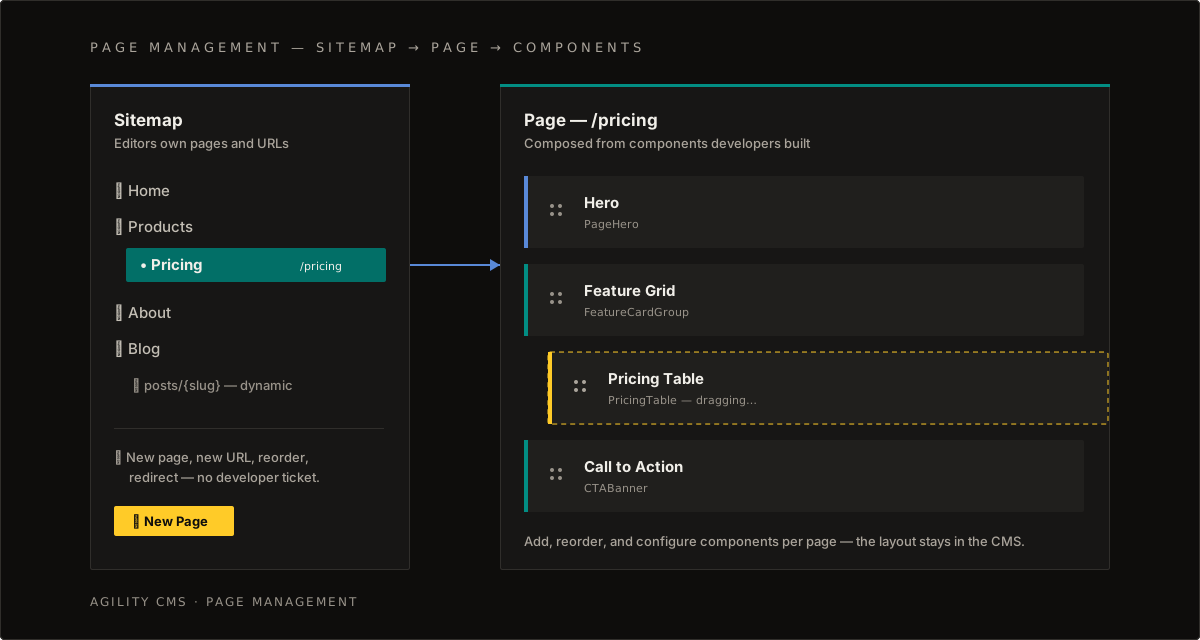
Why it matters. Most headless CMSs stop at content. Agility models your sitemap, routing, and page composition too — so editors create pages, change URLs, and reorder sections without a developer ticket, and developers keep building components instead of landing pages.
Start with these guides
From everyday page work to the API side of pages and multi-site sitemaps.
- Page Management BasicsCreate, edit, and manage pages — the sitemap, page states, and everyday page work.Training
- Quick Start: Using PagesCreate a page, add a component, and fetch both through the Content Fetch API.Developers
- Grouping Components into TabsA flexible modeling pattern for tabs, accordions, and segmented sections — without deep nesting.Developers
- Multiple Sites, Multiple SitemapsPower several websites from one instance with per-site sitemaps on shared architecture.Overview