# User Access
> Source: https://agilitycms.com/docs/owners-admins/user-access
Users with Administrator access have the ability to **add** and **remove** users, as well as **modify** their permissions. Click [here](https://agilitycms.com/docs/owners-admins/user-permissions) to lean more about User Access and permissions.
## Adding a User
1. From your Agility Instance, navigate to **Settings **and then** User Access
**
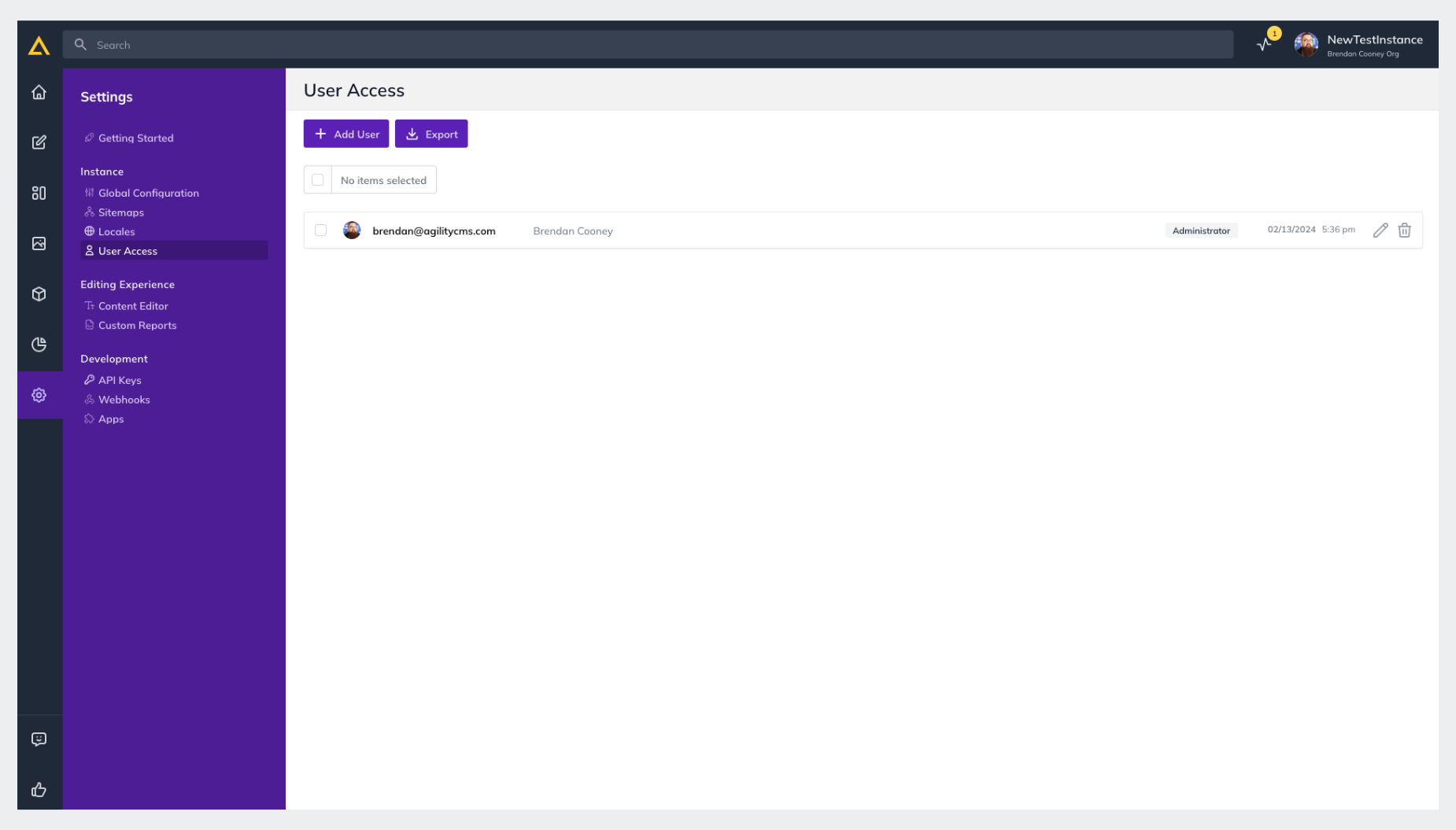
Click **+ Add User** and enter the email address of the person you'd like to add as well as the Role you'd like them to have and click** Create User**
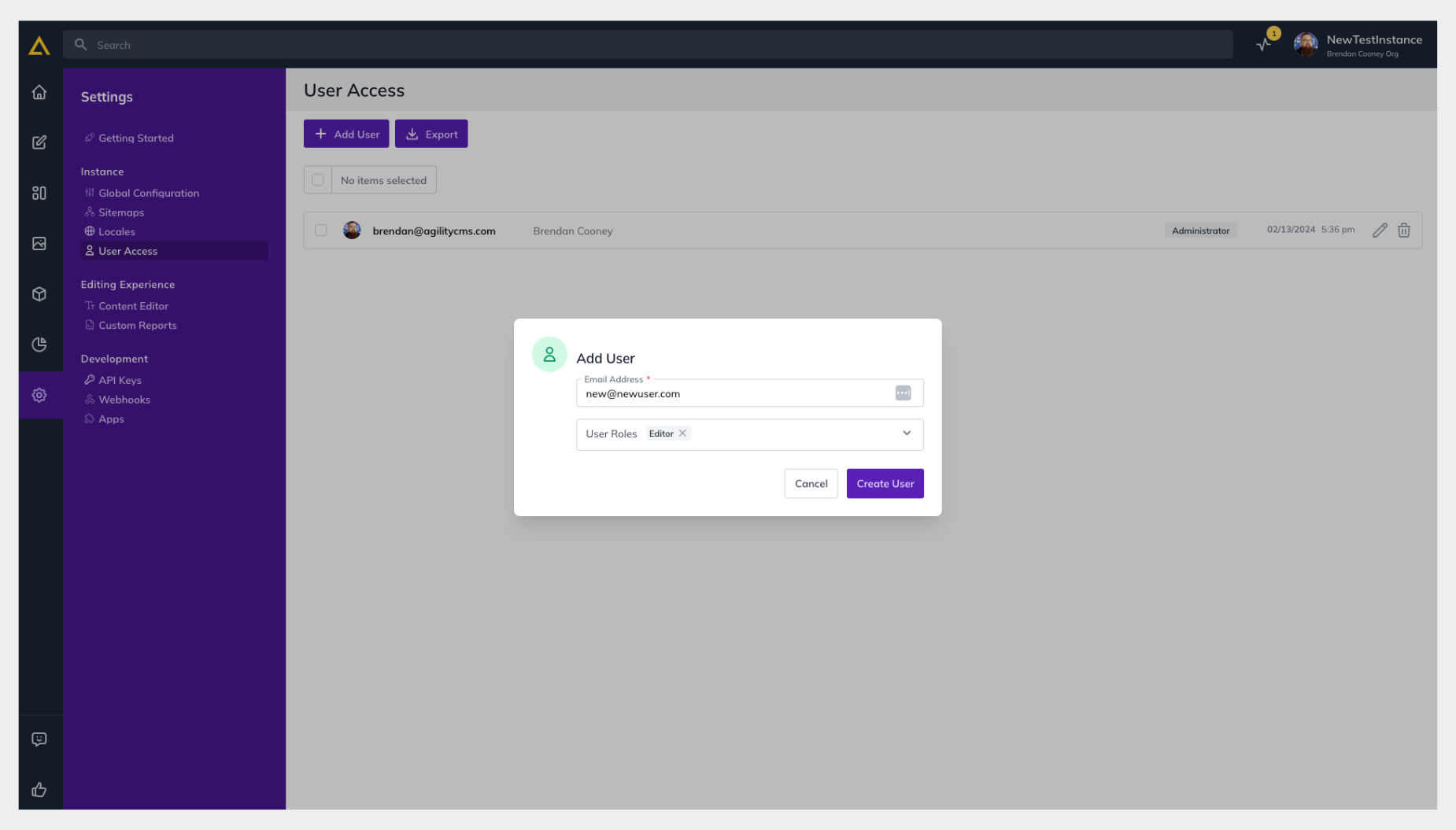
The user will receive a notification email with their username and with a link to set their password and then login.
## Removing a User
Users with Administrator access have the ability to delete users from their Instance as well.
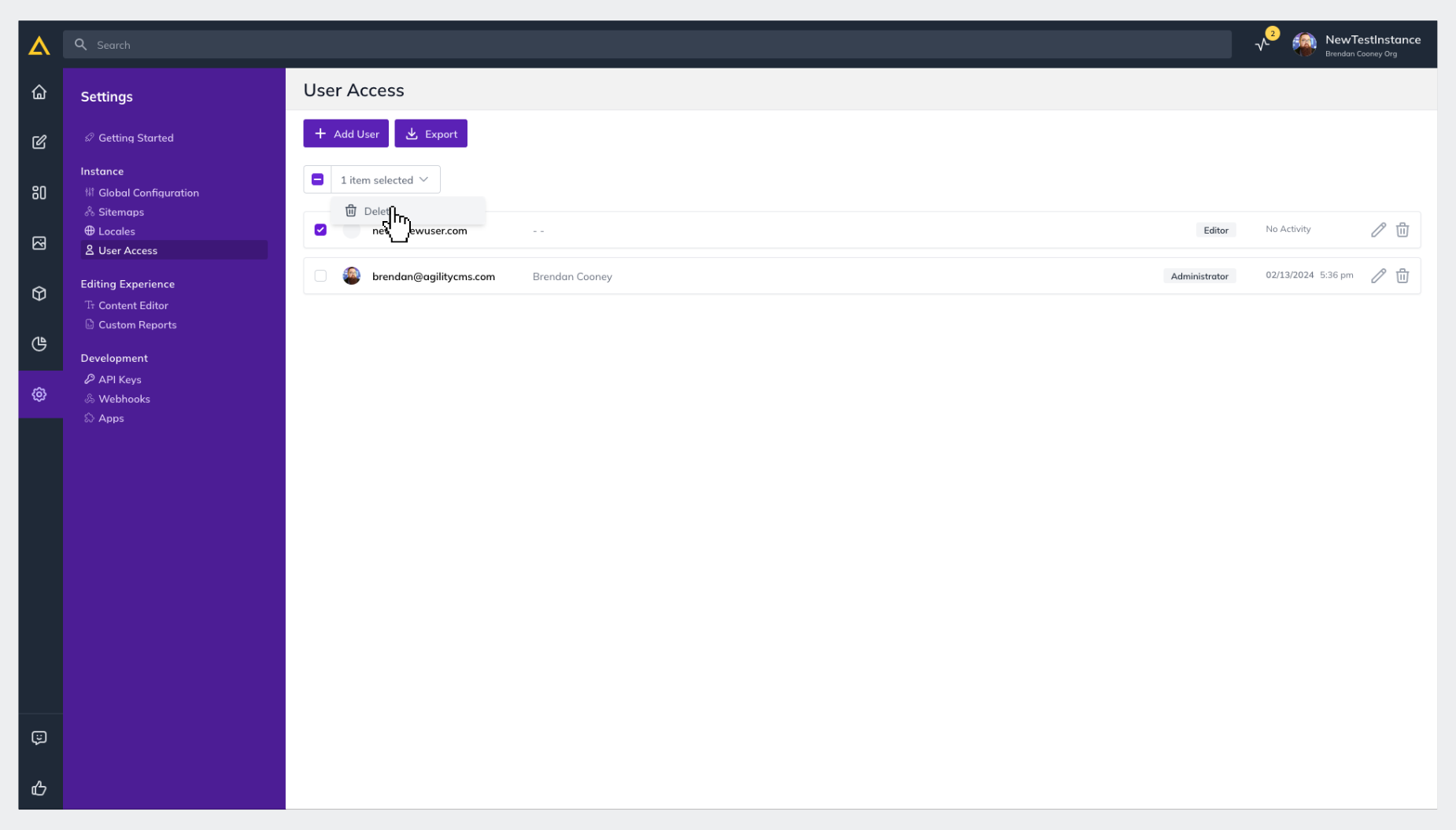
1. From the same **User Access** screen **Check the Box **of the user(s) you'd like to Delete and then click the **Selection Drop-down** and click **Delete** - or - to delete a single user, just click the **Trash Icon** next to the edit button at the far-right of their row.
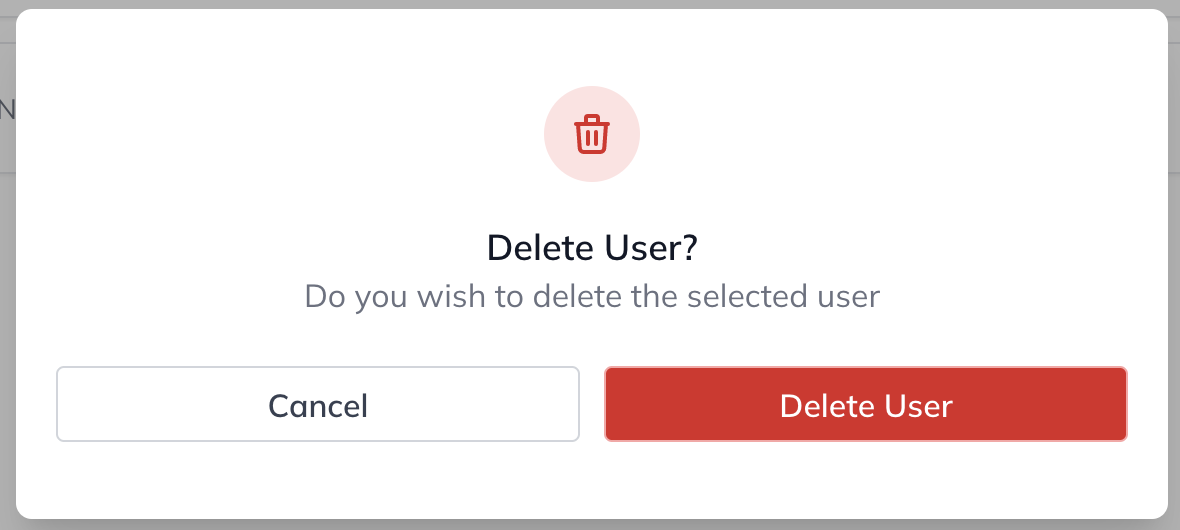
2. Confirm you'd like to Delete the user(s) in the confirmation pop-up
## Re-Adding a Deleted User or Re-using an Email Address
As long as the user has been deleted from your instance, you should be able to re-add that user.
You may encounter a situation where old user information may still exist on our backend preventing you from adding a new user with a previously used email. Should you experience this, please reach out to [support@agilitycms.com](mailto:support@agilitycms.com).
## Editing a User
1. From the **User Access** screen, click the **Edit Icon** to the far-right of the user you'd like to Edit.
-03012024141544.png)
2. Update their User Details and/or Roles and click **Save**
You're all set!