# Copying and Duplicating Items
> Source: https://agilitycms.com/docs/editors/copying-and-duplicating-items
Agility CMS makes it easy to Duplicate or Clone a Page, Content Item, Content List, Page Model, Component Model or Content Model using our Copy feature.
## Copy a Page
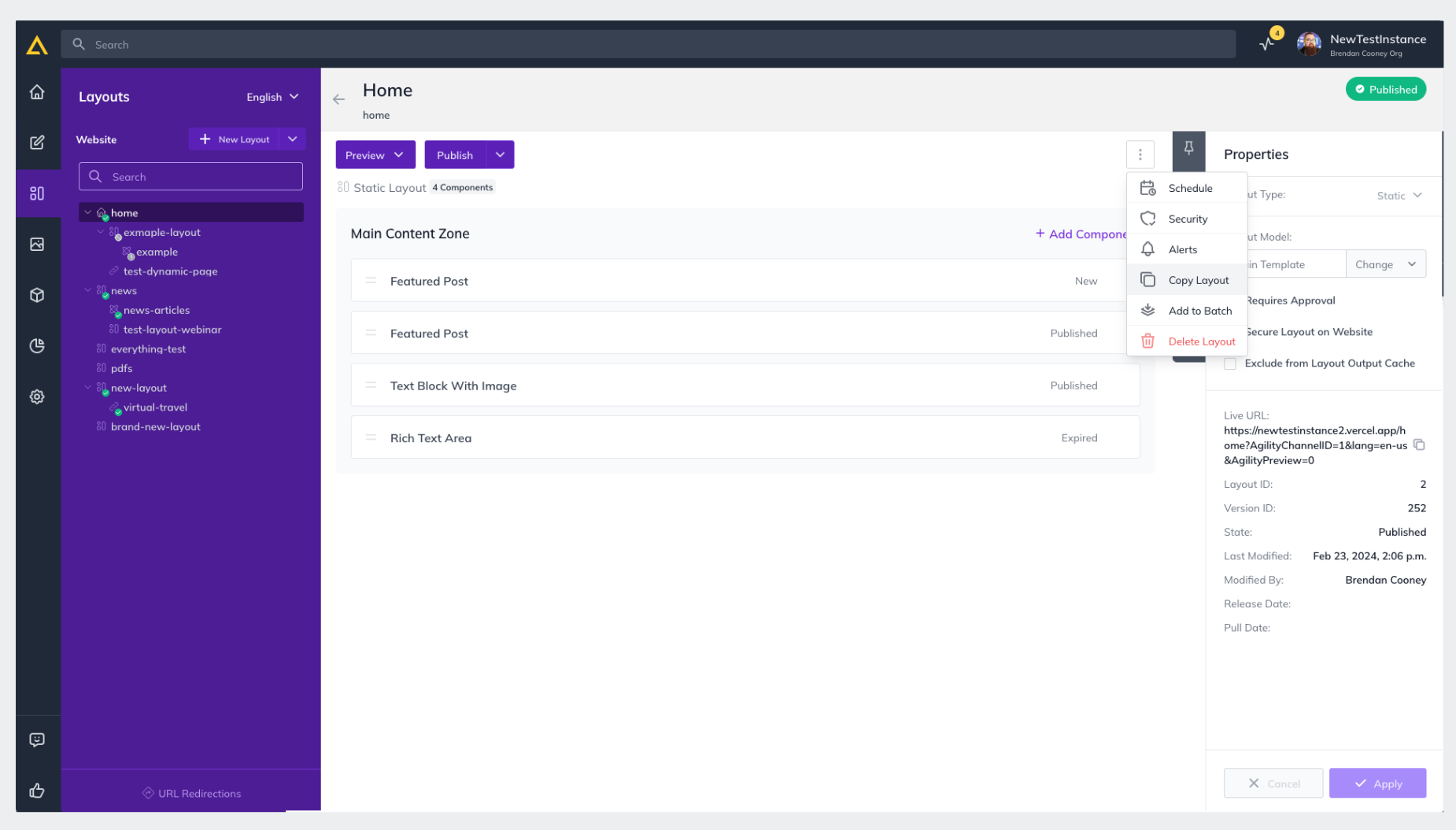
1. Within Agility navigate to the **Pages** section of your Instance and select the page you'd like to copy.
2. In the top-right corner click the **Menu Indicator **and click **Copy**
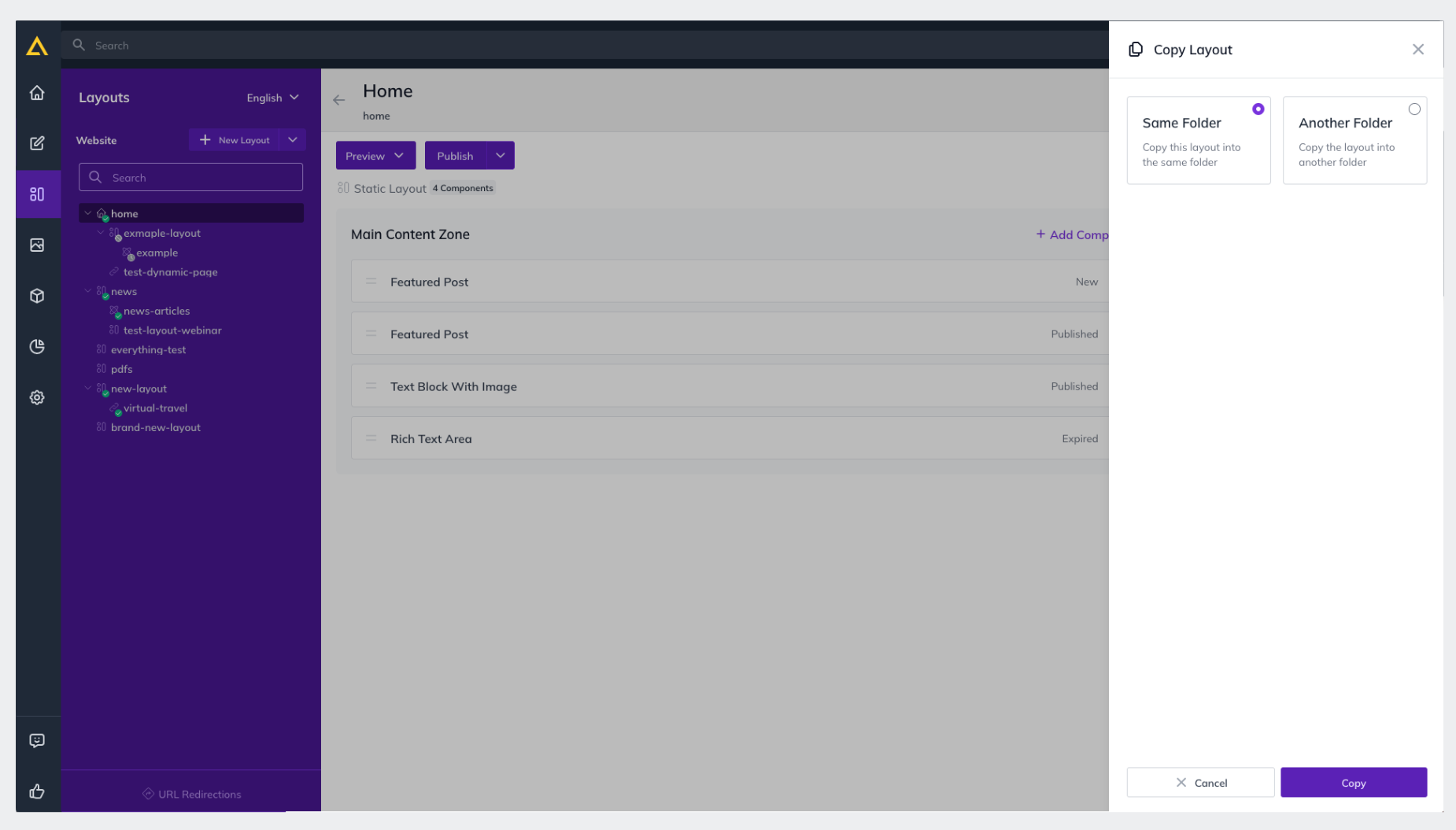
3. **Select the Destination** you'd like to copy to and click **Copy** again.
## Copy a Content Item
1. First, Navigate to the **Content** section in your Agility instance and select the **Content List **with the content item(s) in it that you'd like to copy
2. **Check the Selection Box **for the individual item or items you'd like to copy

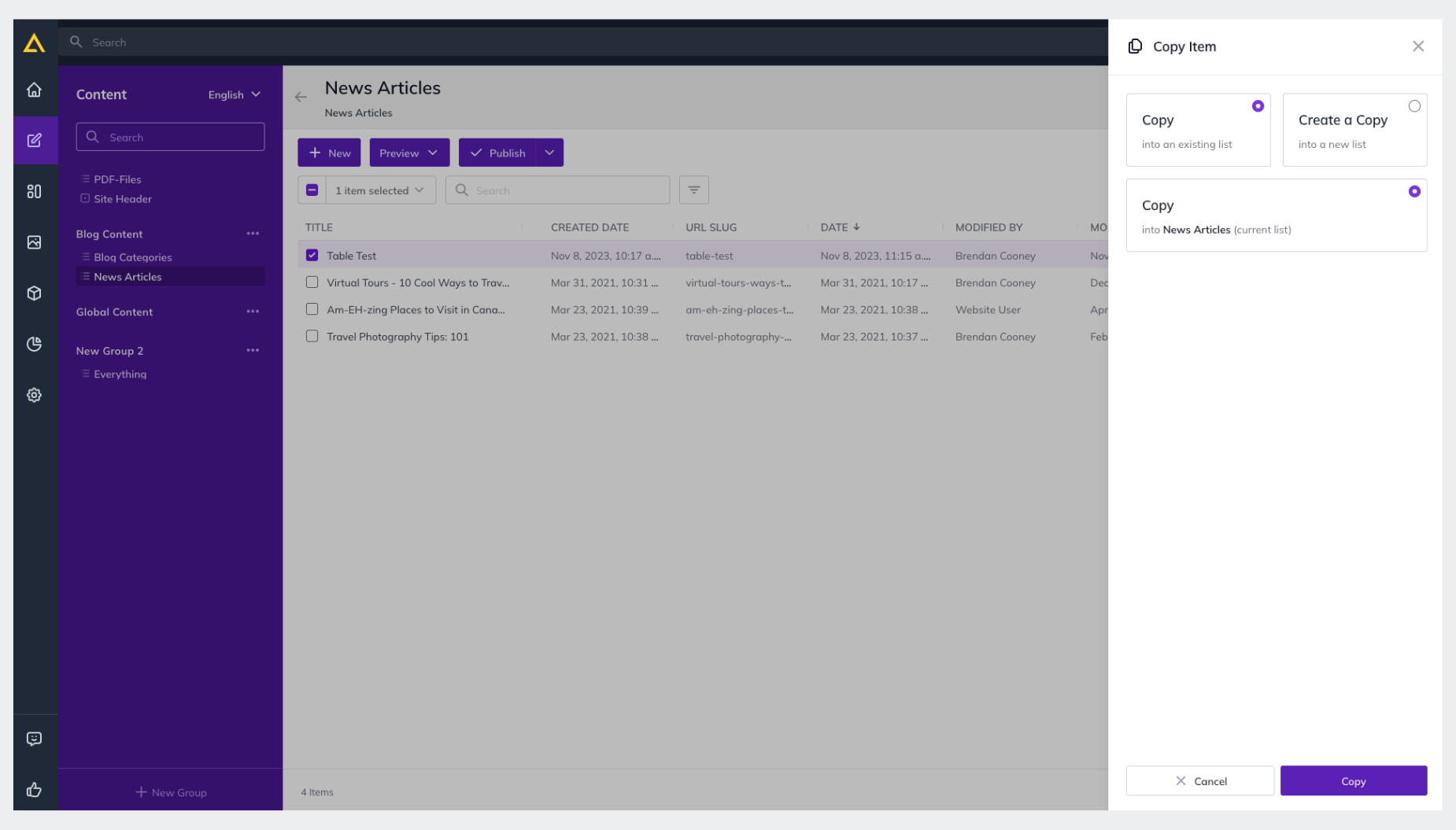
3. Click the **Selection Drop-down** shown above and click **Copy**
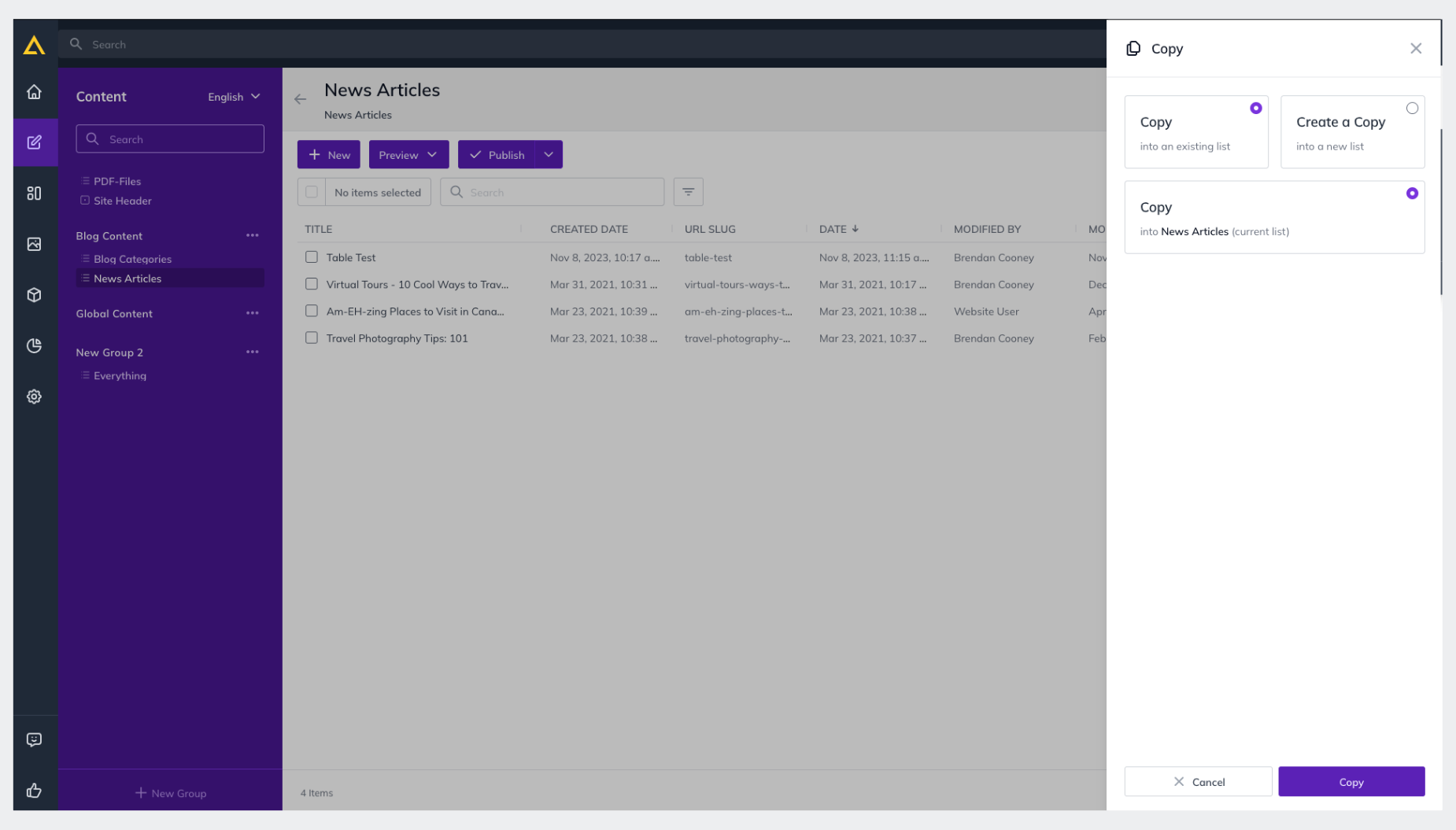
4. **Choose the Destination** you'd like to copy to and click **Copy** again to confirm,
## Copy an Entire Content List
This will copy the List as well as all of the items within it.
1. First, Navigate to the **Content** section in your Agility instance and select the **Content List **that you'd like to Copy
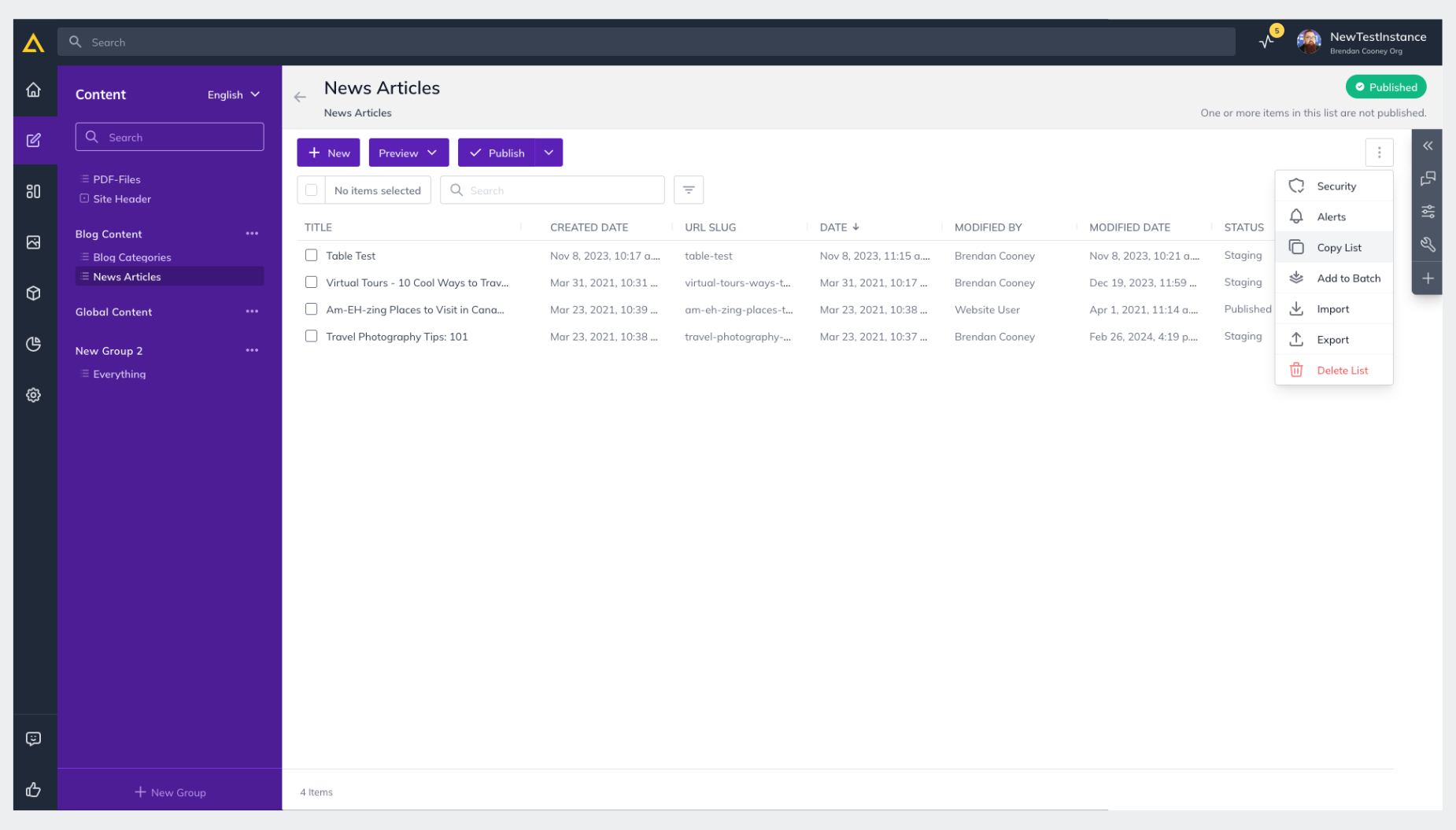
2. Click the** Action Drop-down** for the list and click** Copy**
3. **Select the Destination** you'd like to copy the list to and click **Copy** again to confirm.
## Copy a Content Model
1. To copy a Content Model first head to the **Models** section of your Agility Instance and then click **Content Models**.
2**. Check the Selection Box** for the Model you would like to Copy

3**. Click the Selection Drop-down** and select **Copy**
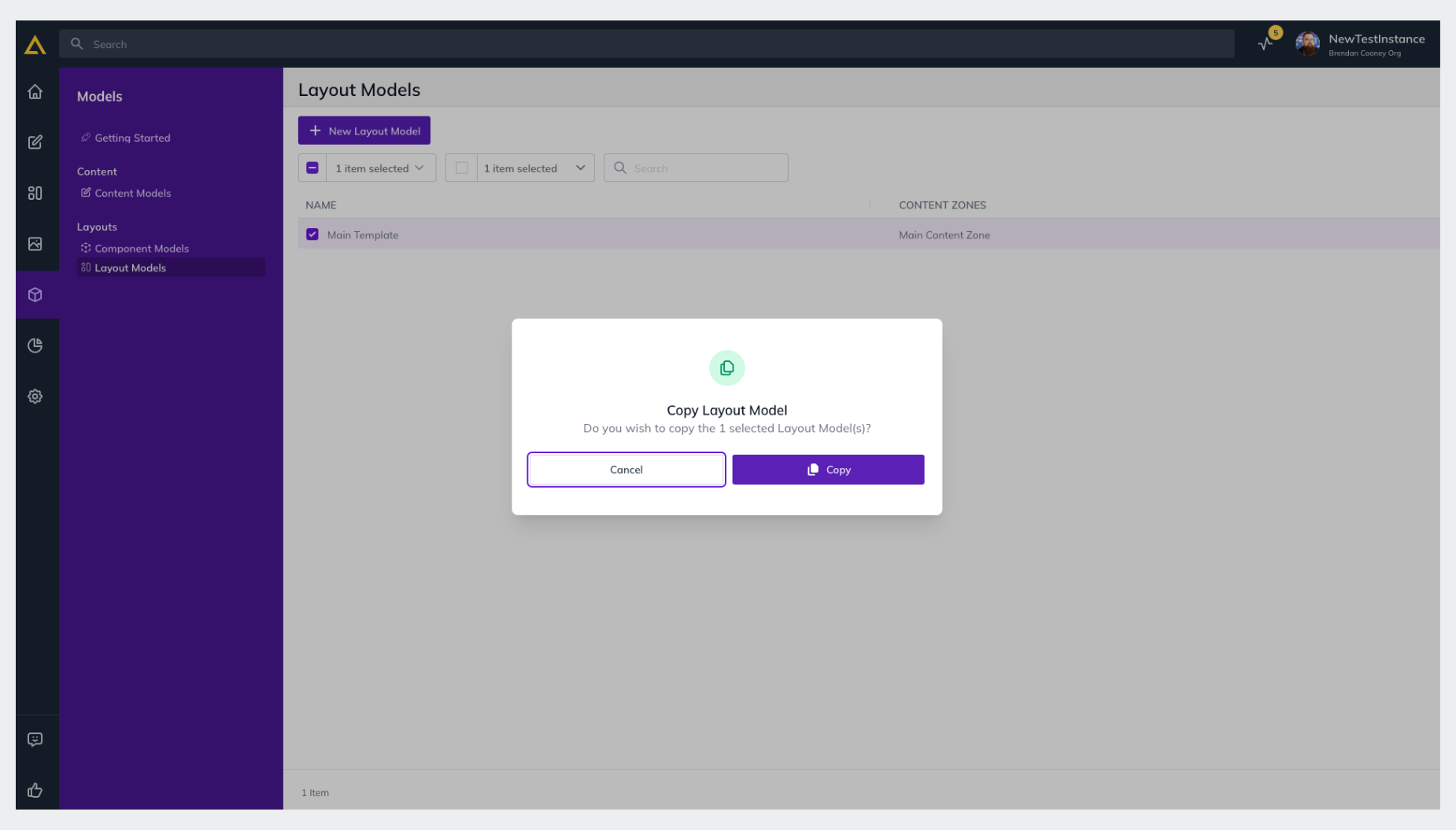
4. **Confirm** in the pop-up that you'd like to copy that Model by clicking **Copy** again.

## Copy a Page Model
1. To copy a Page Model first head to the **Models** section of your Agility Instance and then click **Page Models**.
2**. Check the Selection Box** for the Model you would like to Copy

3**. Click the Selection Drop-down** and select **Copy**
4. **Confirm** in the pop-up that you'd like to copy that Model by clicking **Copy** again.
## Copy a Component Model
1. To copy a Component Model first head to the **Models** section of your Agility Instance and then click **Component Models**.
2**. Check the Selection Box** for the Model you would like to Copy

3**. Click the Selection Drop-down** and select **Copy**
4. **Confirm** in the pop-up that you'd like to copy that Template by clicking **Copy** again.

**Further Reading**
- [Managing Pages](https://agilitycms.com/docs/editors/managing-pages)
- [Intro to Content for Editors](https://agilitycms.com/docs/editors/introduction-to-content)